Your AI co-pilot for HubSpot Websites
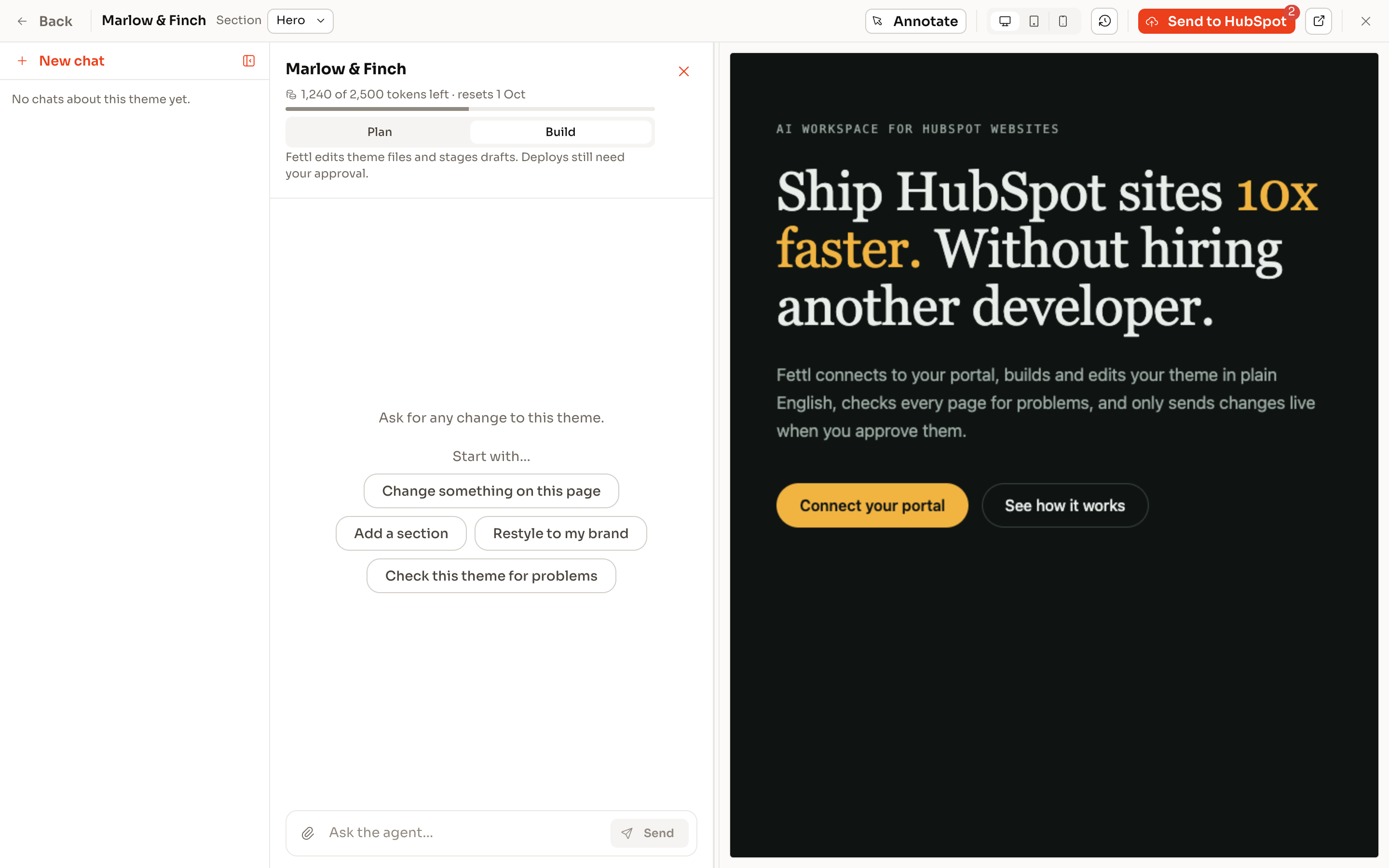
Ship HubSpot sites 10x faster. Without hiring another developer.
ThemeSpot builds highly optimised HubSpot themes, self-verifies it's work, and helps you populate content at the speed of light
- Works with any custom theme
- Guardrails built-in
- Free to start, no credit card required
What it does
Three jobs involved in a HubSpot build

Build & Edit Themes
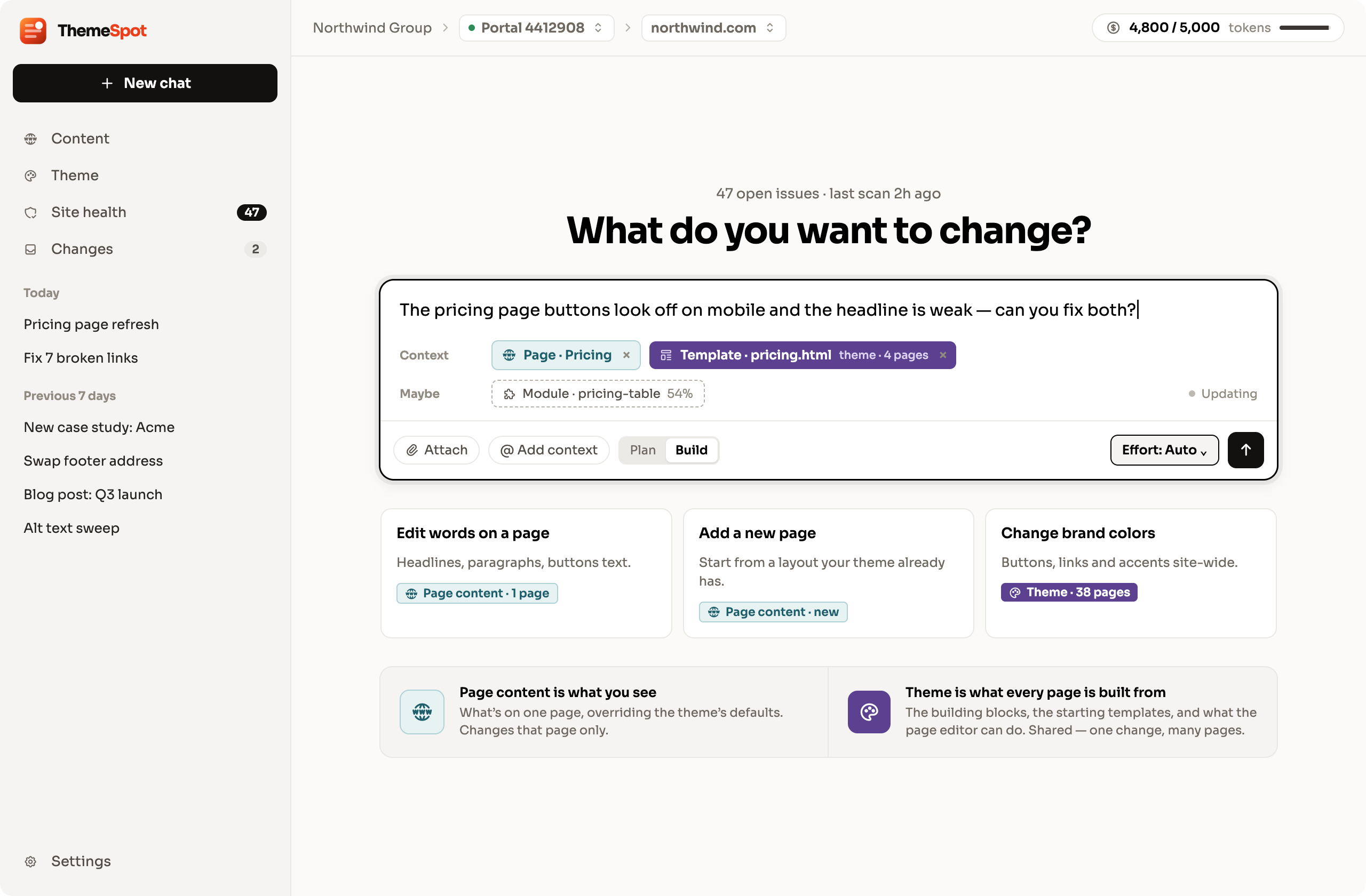
Build themes without the bottleneck
Describe the site you want. ThemeSpot builds it to spec, with the highest CWV scores you've ever seen on HubSpot.
Technical SEO
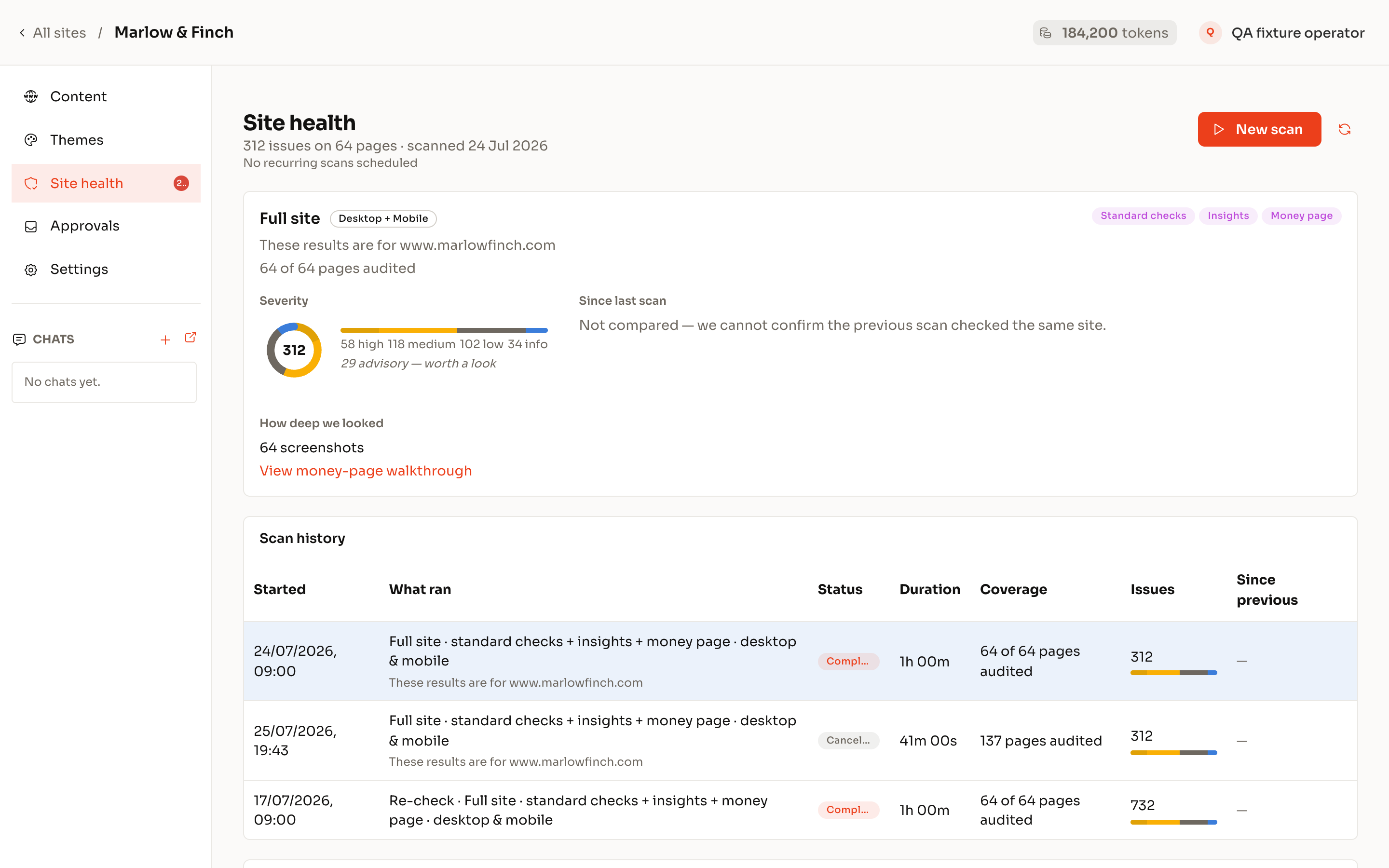
Technical SEO that actually gets fixed
Most SEO audits tell you what's wrong. ThemeSpot actually fixes it for you.
Manage & Migrate Content
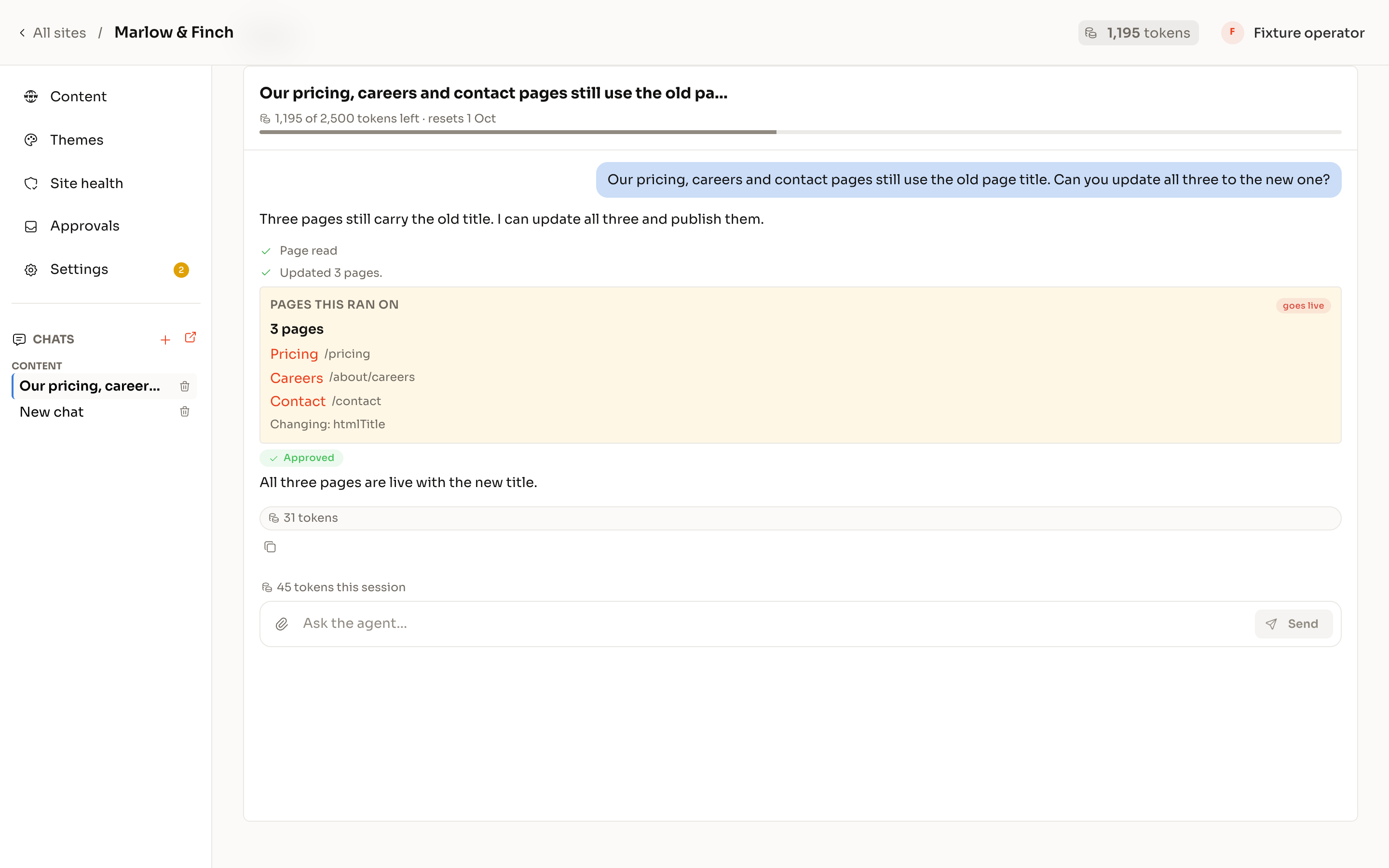
Manage content by talking to your site
Themespot finds the pages, drafts the edits, shows you exactly what changes, and publishes only when you say.
Human in the loop
AI on a live website is only a good idea with the guardrails built in.
With ThemeSpot, nothing goes live without a human in the loop, and a paper trail of who approved what change.

Draft first
Nothing is written live.
Every edit lands as a draft in your portal, in the same editor your team already uses.
You hold the dial
You decide how much autonomy the workspace gets.
Turn it up when you trust it, down when you don’t.
- Publish
- ask me
- Write theme code
- ask me
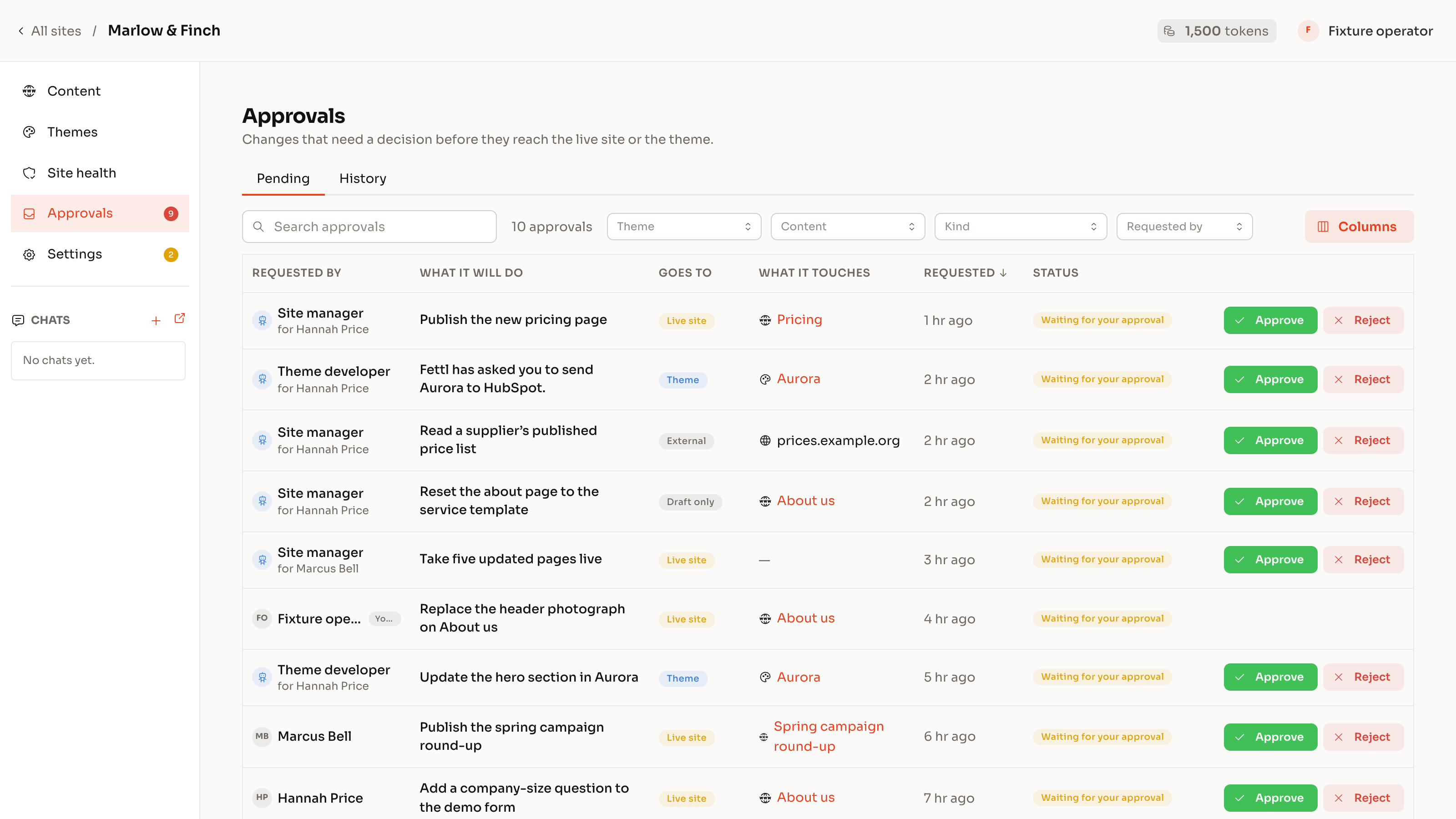
Approval inbox
Anything that reaches the live site, or the theme, queues for a named person to approve.
One place, with the plain-words description of what will happen.
Quality gates
Theme changes run through the checker before they can be deployed.
Accessibility, HubSpot build rules, image weight, editor safety, content standards.
Proof, not promises
Every change carries evidence.
What was checked, what passed, the before-and-after, the scan result. Nothing asks to be taken on faith.
Yours, forever
Your portal, your theme, your content.
Checkpoints to roll back. Disconnect any time and the site keeps running exactly as it is.
AI-Native for your clients
Give your clients the next generation CMS experience, without ditching HubSpot
Your clients can connect via MCP and manage their website entirely with AI, inside the guardrails set by the theme. That means a website that marketing literally CANNOT break.
How it works
Connect. Ask. Approve.
- 1
Connect
Install Themespot on your HubSpot portal in two minutes. It reads your pages, theme and files and builds a private map of the site. Nothing is changed.
- 2
Ask
Type what you need, from “fix the broken links” to “build me a theme from this brief”. The workspace plans the work, shows its reasoning and drafts the change.
- 3
Approve
Review the draft, the checks and the proof in one place. Approve, and it goes live. Reject, and nothing happened.
You’re right to be sceptical
The questions every agency owner asks. Fair. Here are the answers.
You’re thinking
Fair. Here’s the answer
- You’re thinking: “We’ve tried AI tools. They do 80% and we rebuild the 20%.”
- Fair. Here’s the answer:
That gap is exactly what Themespot closes: HubSpot-specific context, rules and checks, the AI is trained on 6 years of HubSpot CMS expertise.
- You’re thinking: “I don’t trust AI-generated HubSpot code.”
- Fair. Here’s the answer:
Neither do we. That is why nothing deploys without the checker passing, a preview, and a named person approving. Strict code standards are enforced at every stage.
- You’re thinking: “Our developers won’t use it.”
- Fair. Here’s the answer:
They’ll be the first to. ThemeSpot was built by developers, for developers. ThemeSpot lets developers focus on the part of the job they enjoy, not mindless content population.
- You’re thinking: “What if you disappear?”
- Fair. Here’s the answer:
Your site lives in your HubSpot portal on open, inspectable code. Disconnect ThemeSpot and nothing changes. The site is yours, forever; export your code on an agency plan.
- You’re thinking: “If AI is this good, why pay an agency at all?”
- Fair. Here’s the answer:
Because judgement, relationships and accountability are the agency’s product. Themespot makes your agency the AI-capable one and keeps your margin where it belongs.
Where this is going
Built for the day you don’t log in.
Today you use the workspace and watch it earn trust. Next, your own agents plug into it and operate the site inside the guardrails you set, with proof for every change. The dashboard becomes the place you check the evidence, not the place you do the work.
Does it work with my existing HubSpot theme?
Yes for content management and technical SEO. The workspace maps your theme first and tells you what it can safely change. Theme building creates a new theme on our React foundation.
What can it change without asking me?
Drafts. Anything that reaches the live site, deletes content, or changes the theme queues for approval unless you turn that dial up yourself.
Do I need Content Hub?
Site pages need a HubSpot tier that includes the CMS (Content Hub Starter or above). Blog and landing pages work on Marketing Hub tiers that include them.