Skip to content

Build themes

Your next HubSpot theme, built in an afternoon. Not a quarter.

Themespot turns a brief, a design or a reference site into a HubSpot theme that passes the checks a senior developer would run.
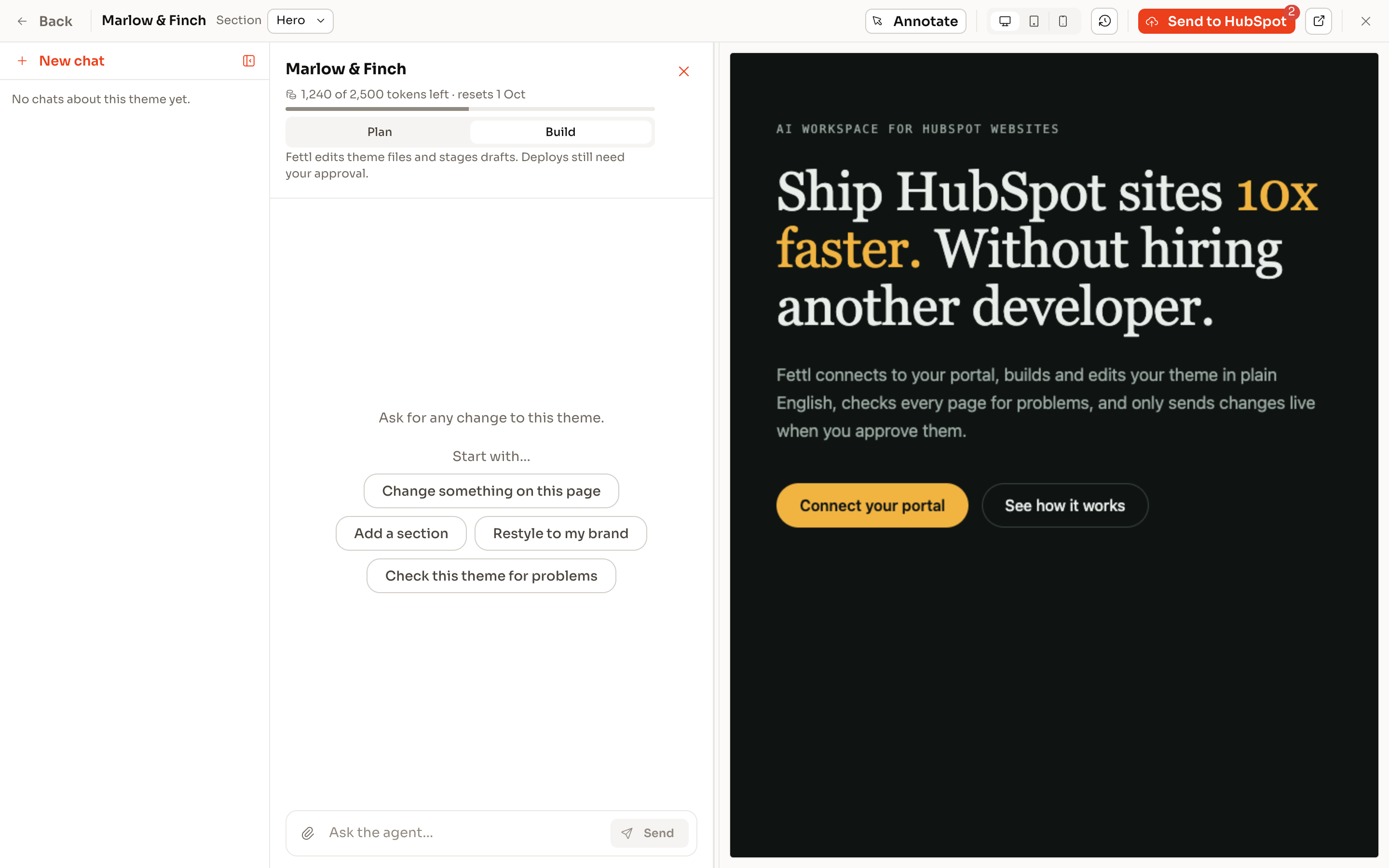
The theme workbench: the chat on the left, the live preview of the theme on the right and Send to HubSpot at the top.

Why this exists

AI writes all the code, so why haven't our margins improved?

Every agency is asking the same question, and the truth is: AI just can't do it all, right out of the box. HubSpot has it's own MCP, agent CLI etc. But they just don't quite cut it for high-quality theme builds, at least not without a developer that knows his sh*t.

This is not an AI wrapper, this app has 6 years of HubSpot CMS experience, nuance, and opinions built-in.

ThemeSpot was built by a HubSpot CMS veteran - aiming to make marketplace themes obsolete, while driving the adoption of React in HubSpot.

How it works

Brief in. Theme out. Nothing deployed until you say.

  1. Brief

    Start from a blank slate, a pasted page, a design export or a reference site. Say what the site is for and who it’s for.

  2. Build

    The agent scaffolds the theme on our proven React theme foundation, this isn't a vibe-coded html file made to fit HubSpot in post.

  3. Check & Lint

    Every change runs the quality checker: This allows the agent to run for hours unattended, reviewing its own work with the standards set by a seasoned HubSpot theme developer.

  4. Preview

    Rendered pages at desktop, tablet and phone. Checkpoints for every change so you can step back.

  5. Deploy

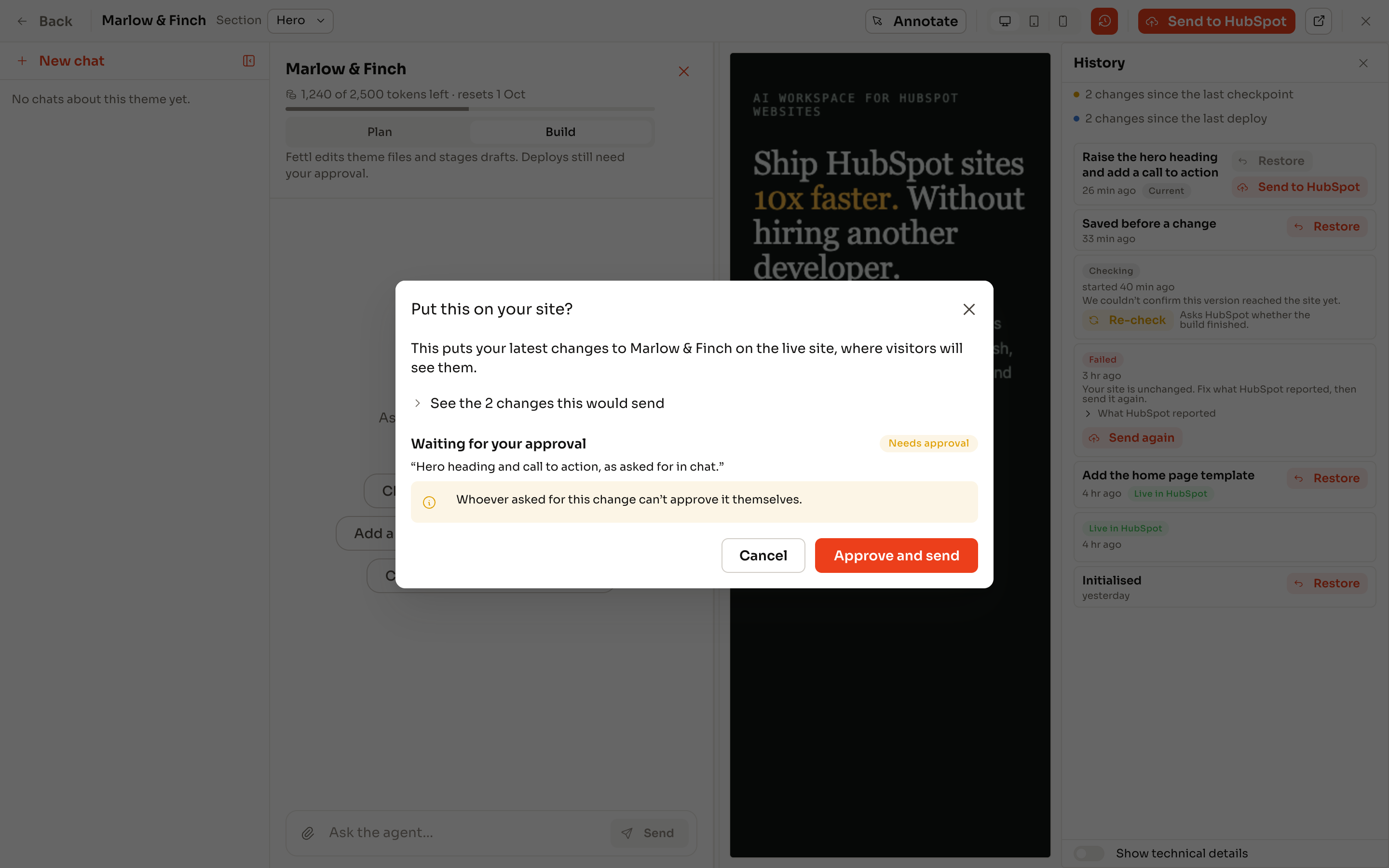
    A deploy request states exactly what will reach the portal. A named person approves. Only then does the theme upload.

A deploy request in the theme workbench: the files that will reach the portal, waiting for approval.

A deploy request names the exact files. Nothing uploads until it is approved.

A HubSpot specific harness

High standards is the default

  • Accessibilitycontrast, focus, landmarks, one H1, labelled controls
  • HubSpot build rulesfield schemas, module registration, project structure the portal accepts
  • Editor safetyno free-text class fields, no raw CSS boxes, choices with plain-English labels
  • Content-bearing defaultsevery module ships with real demo content, never instruction text
  • Image disciplineshipped images under 512 KB, no oversized PNGs
  • Standards spineevery content module carries the same style controls, so editors never learn two systems
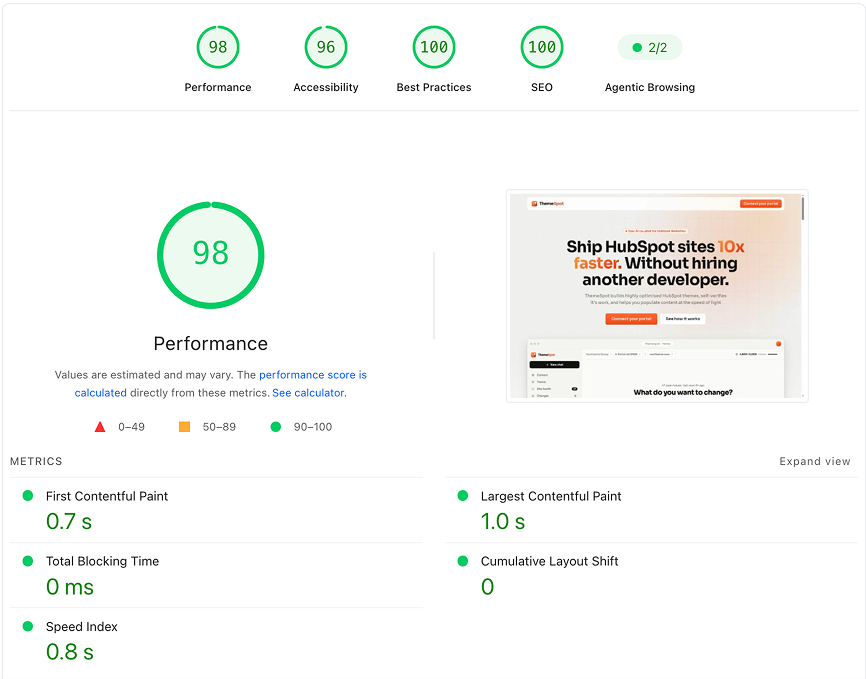
  • PagespeedThemeSpot themes are measurable faster than any marketplace theme
  • Editor experienceevery build spits out a fully loaded section library, with auto-updating preview images
pagespeedthemespot

Pagespeed.dev scores from a one-shot theme build

Guardrails as a feature

A theme your client’s marketing team can’t break.

ThemeSpot themes are constrained on purpose. Editors get choices, not code boxes. Sections are saved for rapid page building. Global styles live in one place. The result is a site that still looks like the design a year later, which is the thing marketplace themes never deliver.

  • Descriptive tooltips on every module field
  • Freedom, but not too much control
  • Modules are capable, but straightforward
  • Fully drag-and-drop compatible, no shortcurts

For developers

This is dev tooling on steroids

Sick of the pathetic local dev server that can't preview without handing client keys to Claude/ChatGPT?

  • Instant previewImmediate feedback loop for humans and agents, without auth
  • Version historyGit-style checkpoints and safety done for you in the background
  • Edit existing themesThis isn't just for new themes, edit your existing themes
  • Content populationDon't just build the theme, build the entire website with AI

For the tech lead

Don't worry, you still own the code.

No black box here. You can view your code directly in HubSpot. You can export the source code & Git repo on an agency plan.

You’re right to be sceptical

You’re thinking: “We already use an internal theme”
Fair. Here’s the answer:

But the agent struggles to customise it. You'll end up with modules that are barely modified from the boilerplate, and you prompt 10 more times to get it to match the design.

You’re thinking: “HubSpot’s React CMS is painful.”
Fair. Here’s the answer:

It is, which is why we wrapped it, ThemeSpot does the heavy lifting. ThemeSpot also works for design manager HubL themes, they're just a bit slower.

You’re thinking: “It’ll generate something we still have to fix.”
Fair. Here’s the answer:

Sometimes. The difference is you’ll know exactly what and why, from the checker and the preview, before anything deploys.

Build the next theme without the next hire.