Skip to content

For agencies

Deliver Better HubSpot Sites, faster, with higher margins.

ThemeSpot is an end-to-end solution for Building, Populating, QA testing, and improving HubSpot websites.
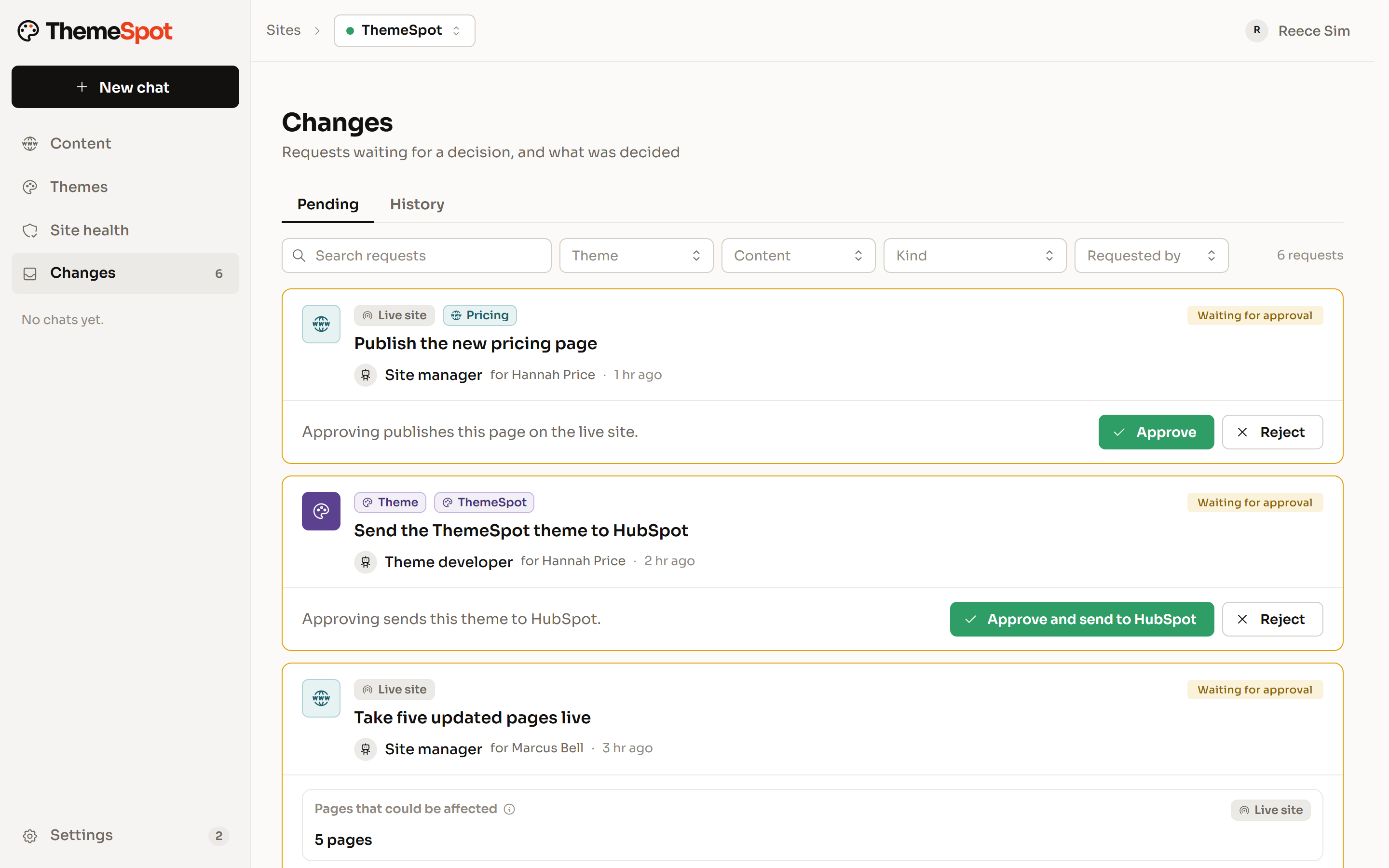
The Changes inbox with six requests waiting for a decision. Each says what it will do, who asked and in which role, whether it reaches the live site or the theme, with Approve and Reject beside it.

Marketplace themes are finished

If you've ever delivered a site using CLEAN pro, POWER, Act 3, or any other marketplace template, ThemeSpot is for you.

We noticed that those builds work, but are no longer suitable.

Too many menu's to click through, previews that don't match, frustrated editors.

ThemeSpot generates your theme exactly as it was designed, with no assembling by hand.

  • Generated from the client's design system or Figma export
  • HubSpot's own parts, used as HubSpot intends
  • Fewer modules, named in words editors use
  • Speed and editor safety built into every module
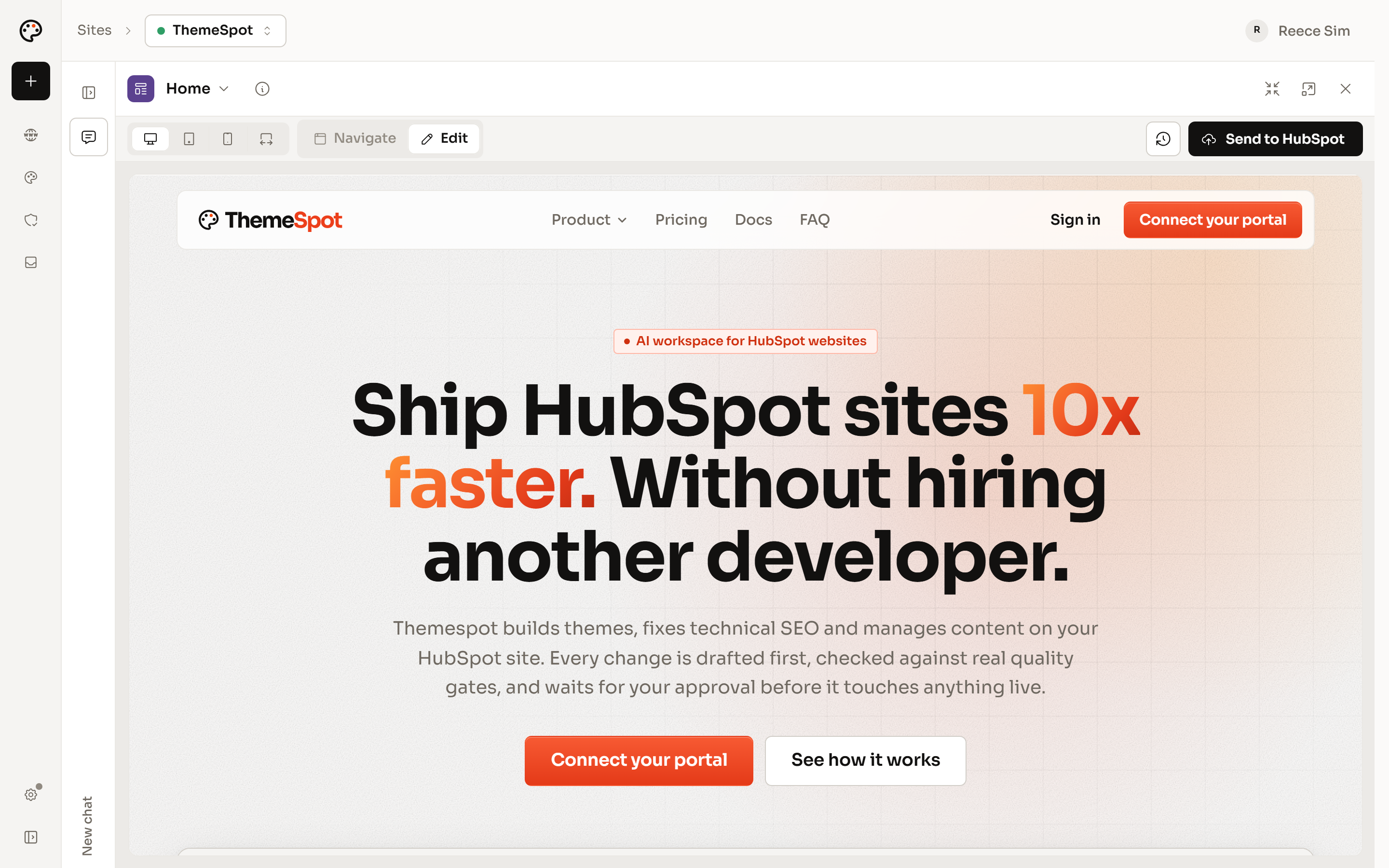
The ThemeSpot home page drawn full width in the theme Preview, in Edit mode, with Send to HubSpot in the toolbar.

Every client site, run from one place.

Connect each client's portal to your organisation. Each one keeps its own roles, approvals, brand-voice rules and history. Your team asks for the change and the client's named approver decides. Retainer work arrives as requests you can price and show the work for.

  • One organisation for every client portal
  • Admin, manager, developer or viewer, set per portal
  • Client guests see only their own site
  • A journal of every edit and approval
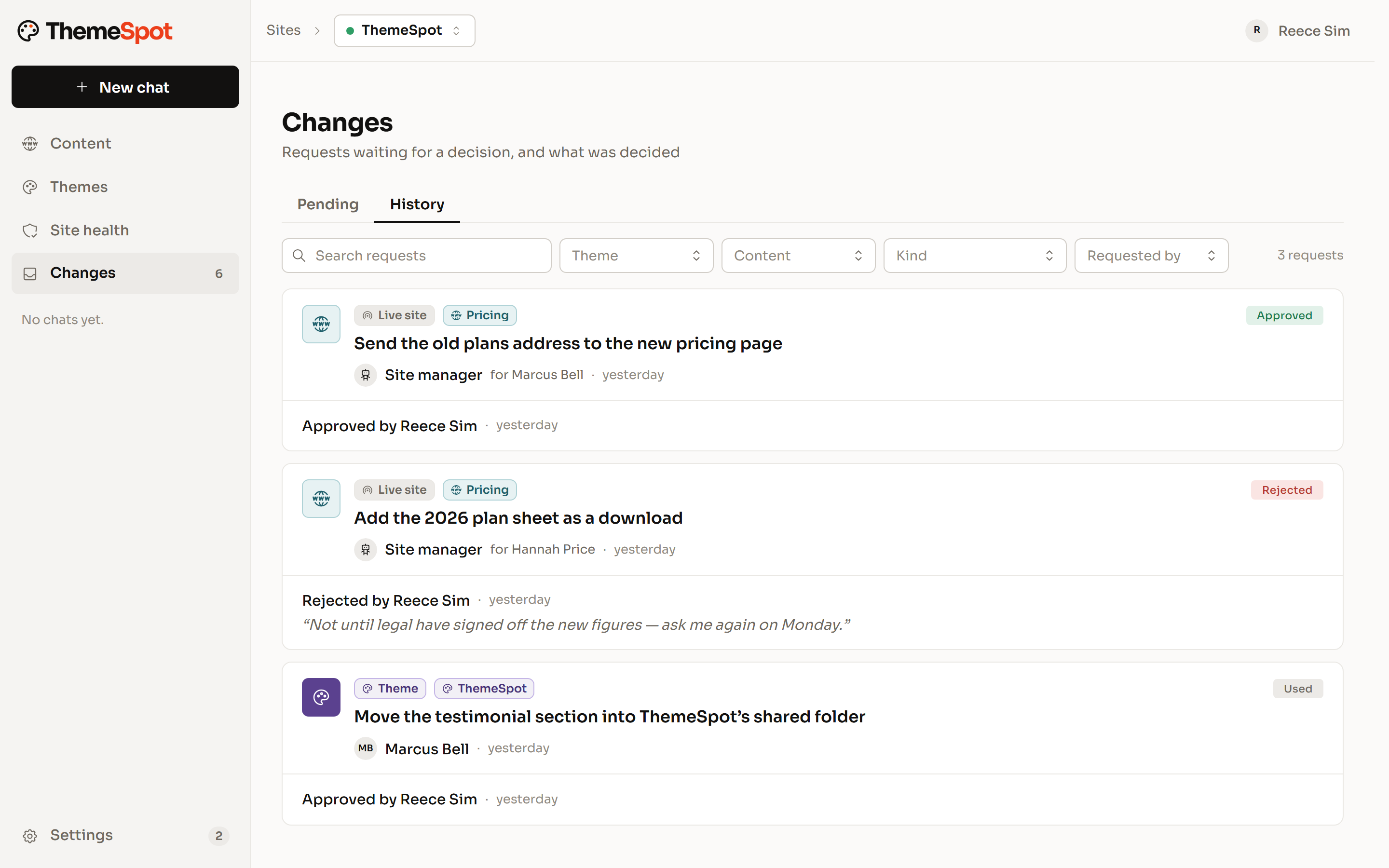
The History tab of Changes: a pricing redirect approved by Reece Sim, a plan sheet download he rejected with a note, and a theme change approved, each with who asked and when.

Audits that start the sales conversation.

Connect a prospect's portal and the first scan reads every page: more than 80 checks, their own brand rules and, on plans that include it, a browser walkthrough of their money page. Walk them through the issues lane by lane, then fix the safe ones while they watch. Each fix is verified before it's charged.

  • Issues in four lanes: Fix now, Needs you, Needs a look, Probably fine
  • A browser walkthrough, recorded where the plan allows
  • Fixes verified by the rule that found them
  • Re-scans mark issues resolved from the evidence
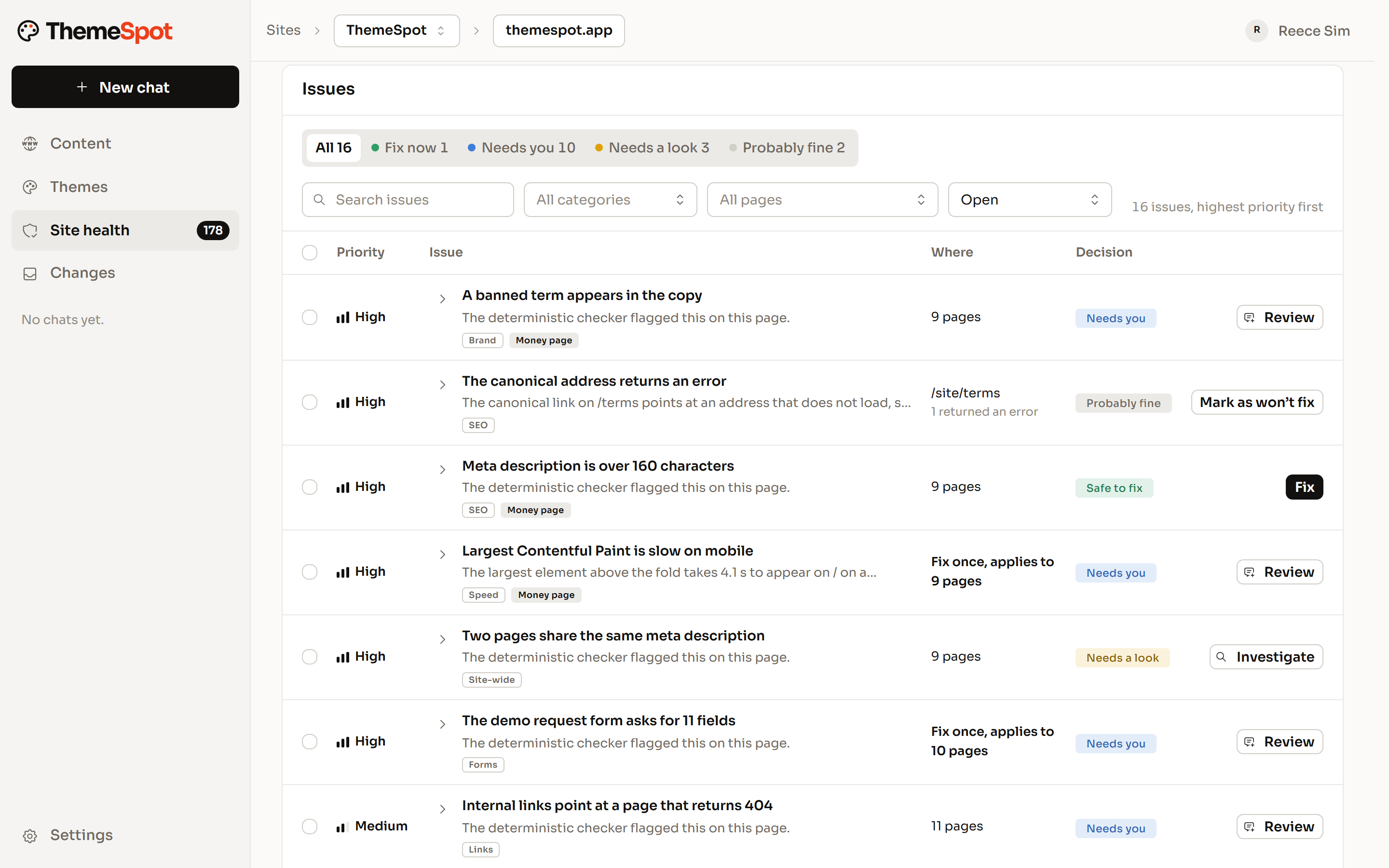
The Site health issue list, highest priority first, with lane tabs for Fix now, Needs you, Needs a look and Probably fine, and each issue showing where it appears and its decision.

Where the margin comes back.

Senior hours go on the problems that need them. Routine work is checked before it reaches anyone's desk.*

  • Design to Code

    The mundane code writing is now an overnight job with a cost measured in tokens, not developer hours.

  • Content population

    After building a theme, migrate or create every page in minutes rather than hours in the editor.

  • Post-launch QA

    Once live, QA the entire website, and automatically fix the issues that get found.

*Some tasks aren't yet possible via API. See our docs

Migrations you can prove.

ThemeSpot reads the old theme's saved settings, pages, copy, images and menus. It recreates pages from the new templates, clones what repeats, writes redirects in bulk and moves the content across after the deploy. Colman Rose moved off a vibe-coded site and went live with 24 pages on its new theme.

  • Reads the old theme's settings and content
  • Pages recreated from templates, fields set by path
  • Redirects in bulk, each one named before it changes
  • A scan afterwards to check the move
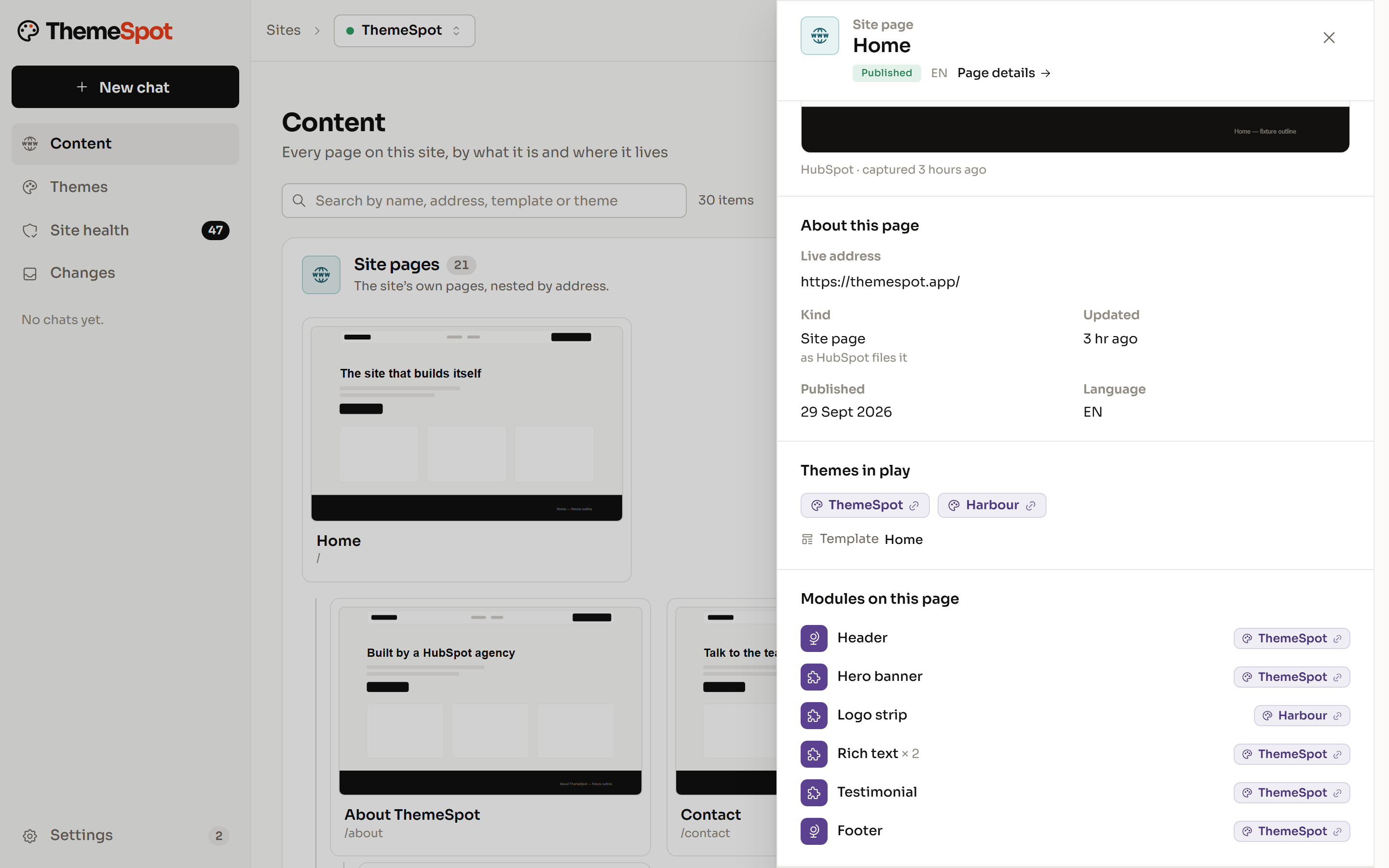
A page opened in Content: its live address and template, the two themes in play, ThemeSpot and Harbour, and every module on the page listed with the theme it comes from.

Sell technical website work without a developer on every job.

Technical SEO fixes, content migrations, new pages and performance passes become work your account team can quote from the scan and deliver with proof. The checker and a named approver stand where a developer used to, and your developers take the jobs that need them.

  • Quote from the scan, deliver from the lanes
  • Approvals and a change history the client can read
  • Theme work routed to developers, the rest to your team
  • Evidence to attach to every invoice

Building HubSpot sites for clients?

Tell us how you deliver and where it slows down. We're shaping the theme workspace around agencies, and we'd like to hear from yours.

Guardrails for every role.

Developer, agency or SEO, the rule is the same: nothing reaches a live site until a named person approves it.

  1. Guardrails

    Drafts first. A person approves what goes live.

    Edits land as drafts in the HubSpot editor your team already uses. Publishing, redirects, forms, files and theme deploys wait for approval, each with a plain description of what will happen. A journal records who approved what.

  2. Team roles

    Roles for your team, a guest seat for each client.

    Your organisation owns its portals. Each person is an admin, manager, developer or viewer on each one, and the theme workspace is for developers. A client joins as a guest on their own portal and sees nothing else.

  3. Client sites

    Clients edit inside the theme you built.

    Clients chat with their own site with code access off. They can change pages, copy, images, redirects and forms, and theme changes stay with your developers.

  4. MCP

    Their own AI, on their own website.

    Connect ThemeSpot to Claude, ChatGPT or another MCP client. The AI a client already uses gets the same tools, approvals and roles, inside the limits you set.

You're thinking: “If AI is this good, why would clients pay an agency?”
Our answer:

Clients pay for judgement, the relationship and someone accountable. ThemeSpot makes your agency the one that delivers with AI, and the margin stays with you.

You're thinking: “Our clients will break their sites.”
Our answer:

Code access is off for clients. Their edits land as drafts in their own editor, a named approver publishes, and the theme stays with your team.

You're thinking: “What if ThemeSpot disappears?”
Our answer:

The site lives in your client's HubSpot portal, on code you can read. Disconnect and it keeps running as it is, and you can export the built theme at any time. Your site is yours, forever. The agent is the bonus.

You're thinking: “Our developers won't use it.”
Our answer:

They will. It enhances their current workflow rather than replacing it, every feature is opt in.

Connect a client portal.

Free to connect. Build the first theme on a paid plan.