Skip to content

For SEOs

Turn your technical audit into fixes you can show the client.

Technical audits are great, usually flag thousands of issues, but only a developer can actually fix them. Not anymore.
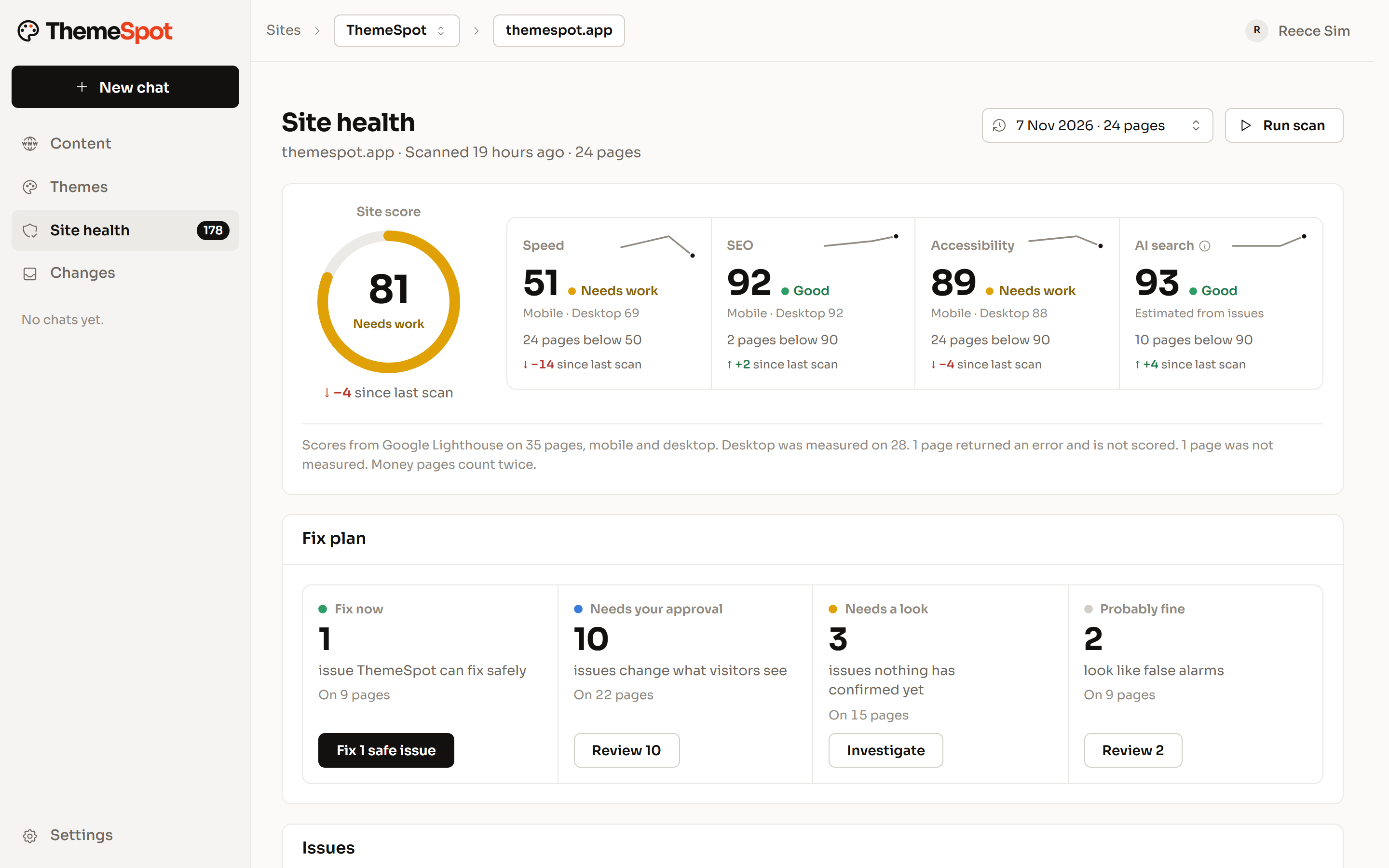
Site health for a 24-page site: a site score of 81, scores for speed, SEO, accessibility and AI search with their change since the last scan, and a fix plan split into Fix now, Needs your approval, Needs a look and Probably fine.
  • More than 80 checks on every page
  • Priority that weighs your money page
  • Each fix verified by the rule that found it

Audits that read the whole site.

Every scan runs the same rules across every page, and the summary shows what moved since the last one.

  • Search and AI search

    Titles and descriptions, Open Graph, canonicals, hreflang, heading order, image alt text and format. Robots.txt access for AI crawlers, llms.txt and schema markup.

  • Links, content and brand

    Broken links and redirect chains, spelling in UK or US English, placeholder copy, and your own banned words with their replacements.

  • Speed, security and access

    Page weight budgets, third-party origins, Core Web Vitals, HTTPS and security headers, mobile viewport and touch targets, and accessibility.

Every issue lands in a lane.

Issues are sorted into four lanes: Fix now, Needs you, Needs a look and Probably fine. Priority weighs impact, visibility and your money page against the effort to fix. Only a person can dismiss an issue, and bulk changes always ask first. An issue that lives in the theme goes to a developer.

  • Four lanes, one decision each
  • Priority from impact, visibility, money page and effort
  • Only a person can dismiss an issue
  • Theme issues routed to a developer
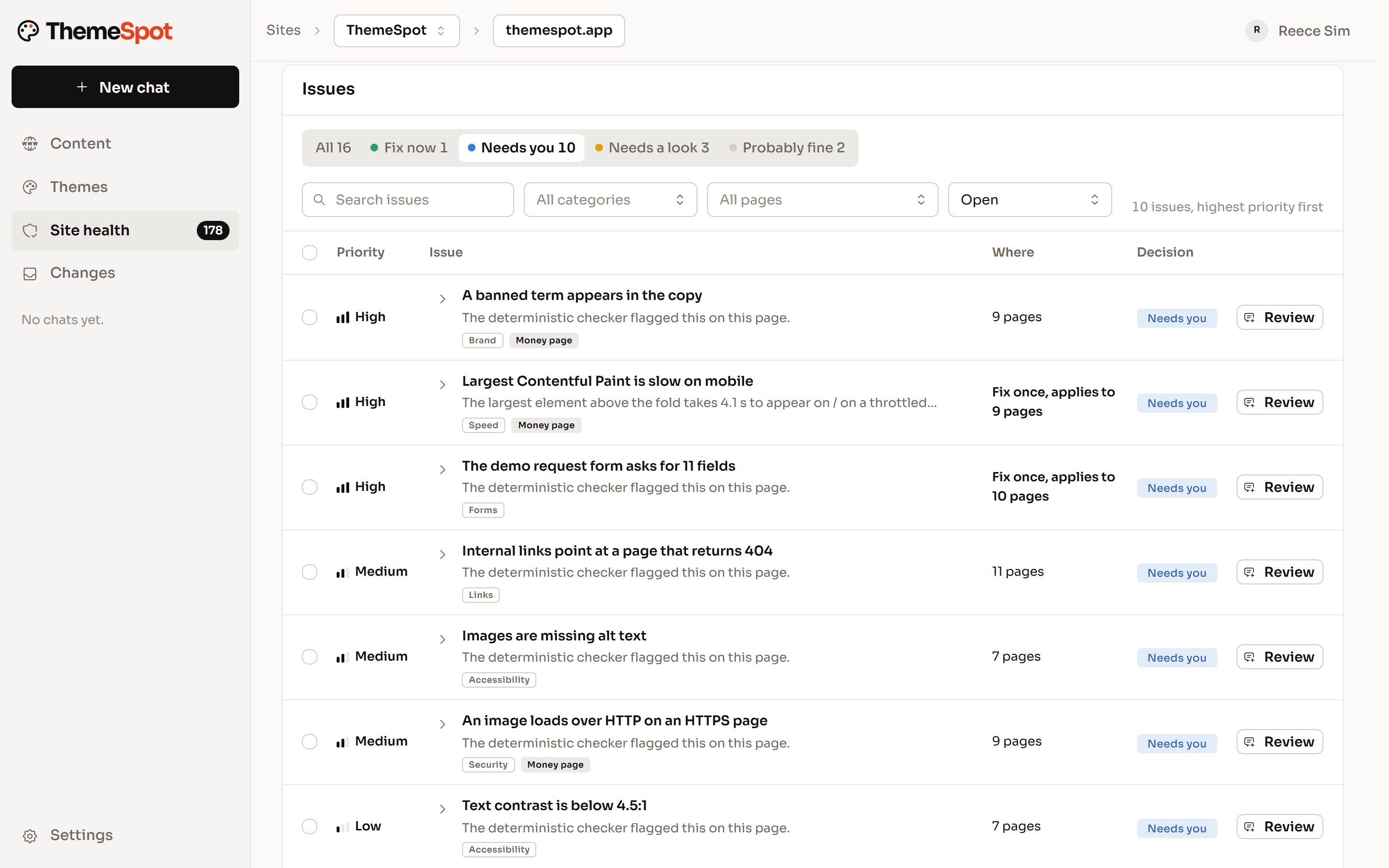
The Site health issue list filtered to the Needs you lane: ten issues, highest priority first, each with where it appears and a Review button.

Fixes drafted in HubSpot, checked by the same rule.

Hand the safe issues to ThemeSpot and it quotes before it starts. It drafts each fix in the HubSpot editor, then re-runs the rule that found the issue. Fixes that pass are charged and anything else is refunded. Re-checks are free, and a re-scan marks issues resolved from the evidence.

  • A quote first, up to 40 issues a run
  • Drafts only, published by a person
  • Verified by the same rule, or refunded
  • A re-scan you can send the client
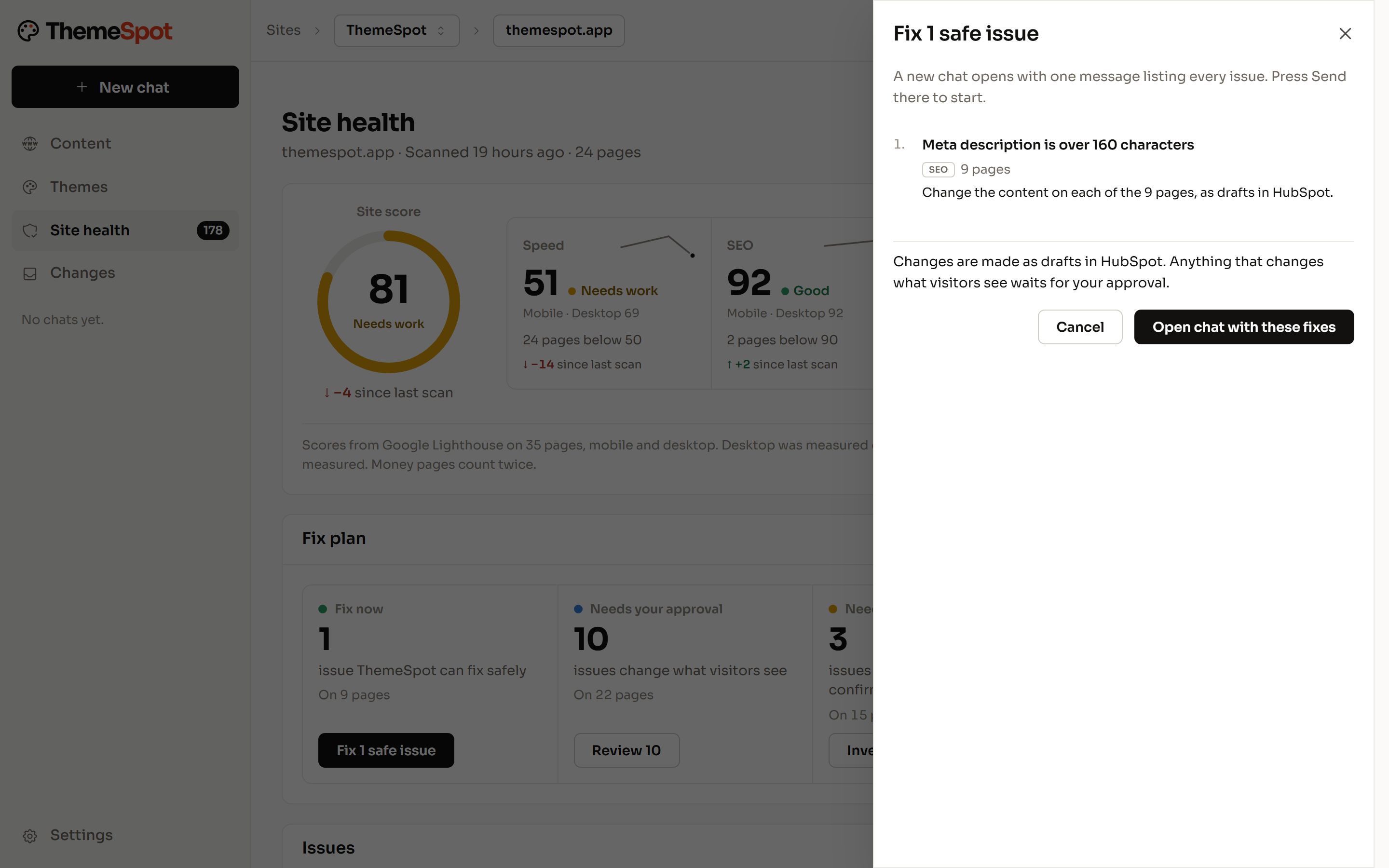
The Fix 1 safe issue panel: one meta description fix across nine pages, made as drafts in HubSpot, with a note that anything visitors see waits for approval, and Open chat with these fixes.

Content changes without the developer queue.

New landing pages from existing templates, title and description sweeps across the site, redirects in bulk and images resized in place. Ask in plain English. Drafts land straight away, publishing waits for your approver, and redirects, forms and files are named before anything changes.

  • Pages from your existing templates
  • Title and description sweeps, tried on a sample first
  • Redirects in bulk
  • A journal of every edit
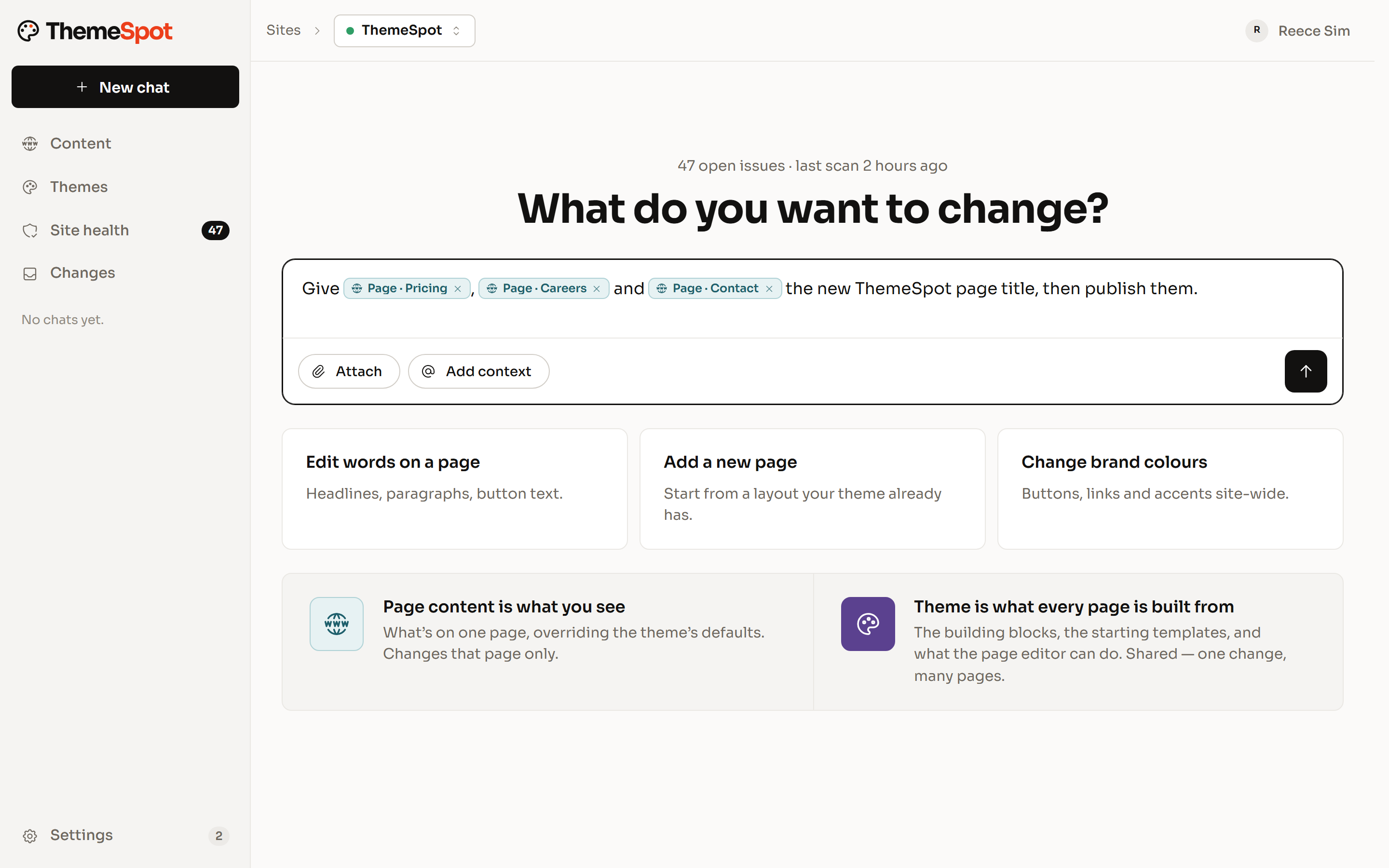
The ThemeSpot chat home, What do you want to change?, with a request typed to give the Pricing, Careers and Contact pages a new page title and the three pages attached as chips.

Guardrails for every role.

Developer, agency or SEO, the rule is the same: nothing reaches a live site until a named person approves it.

  1. Guardrails

    Drafts first. A person approves what goes live.

    Edits land as drafts in the HubSpot editor your team already uses. Publishing, redirects, forms, files and theme deploys wait for approval, each with a plain description of what will happen. A journal records who approved what.

  2. Team roles

    Roles for your team, a guest seat for each client.

    Your organisation owns its portals. Each person is an admin, manager, developer or viewer on each one, and the theme workspace is for developers. A client joins as a guest on their own portal and sees nothing else.

  3. Client sites

    Clients edit inside the theme you built.

    Clients chat with their own site with code access off. They can change pages, copy, images, redirects and forms, and theme changes stay with your developers.

  4. MCP

    Their own AI, on their own website.

    Connect ThemeSpot to Claude, ChatGPT or another MCP client. The AI a client already uses gets the same tools, approvals and roles, inside the limits you set.

You're thinking: “We already have an audit tool.”
Our answer:

Keep it. ThemeSpot covers what comes after the audit: the fixes, drafted in HubSpot and checked by the rule that found each issue.

You're thinking: “I don't want AI editing a live site.”
Our answer:

It doesn't. Every change is a draft, and a named person publishes it. Redirects, forms and files are named before they're touched.

You're thinking: “Our theme is locked, or from the marketplace.”
Our answer:

Content fixes work on any theme. Issues in the theme itself are reported and routed to a developer.

You're thinking: “How do I show the client what changed?”
Our answer:

Each fix has its draft, the rule that verified it and a re-scan marking it resolved. The journal shows who approved what.

Connect your portal. See the first scan.

Free to connect. Fixes are charged only once they are verified.