Skip to content

For developers

Bring your own agent. We host the rest of the HubSpot build.

Connect Claude Code, Cursor or any MCP client and your agent gets hosted git, a sandbox for every build, previews of real pages and a headless UI library made for HubSpot. Every change is linted and checked in a loop, reviewers leave feedback on the preview, and QA runs itself.
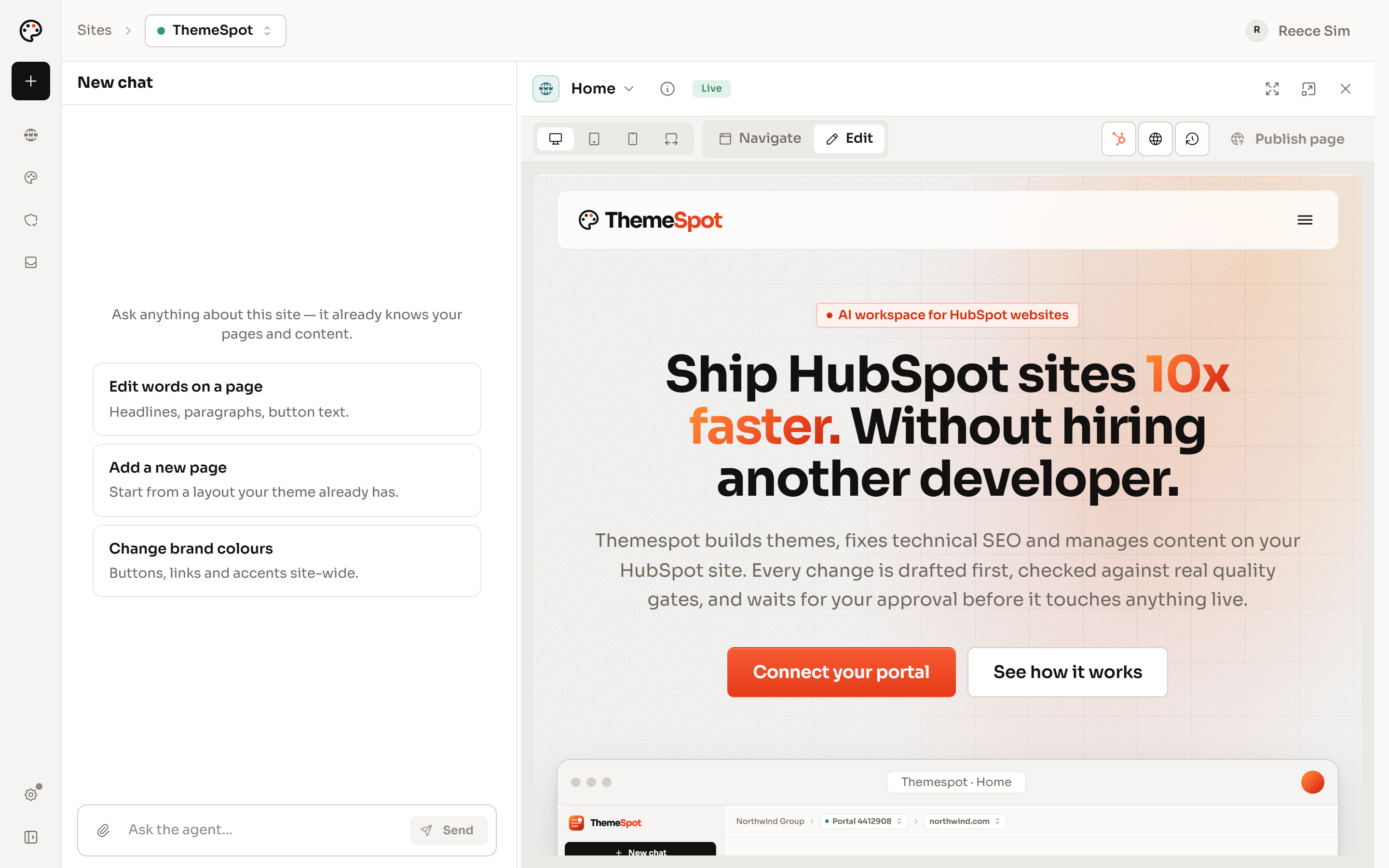
The ThemeSpot app with a new chat on the left and the Preview on the right, showing the ThemeSpot home page in Edit mode, marked Live, with device sizes, Navigate and Publish page.
  • Works with Claude Code, Cursor or any MCP client
  • Git, sandboxes and previews hosted for you
  • Checked on every batch, scanned after every deploy

Connect your own agent over MCP.

ThemeSpot is an MCP server. Add it to Claude Code, Cursor or any MCP client and your agent keeps its model, its prompts and your subscription. What it gains is dev tools on steroids: a mirror of the site's content it can query field by field, a HubL renderer, a walker that shows what every template, section and module exposes, and skills that load HubSpot's rules when a job needs them. The Claude Code plugin installs the server, the agent and the skills together.

  • Your model, your prompts, your subscription
  • A content mirror the agent can query field by field
  • A HubL renderer that shows where each module comes from
  • Skills that know what HubSpot refuses
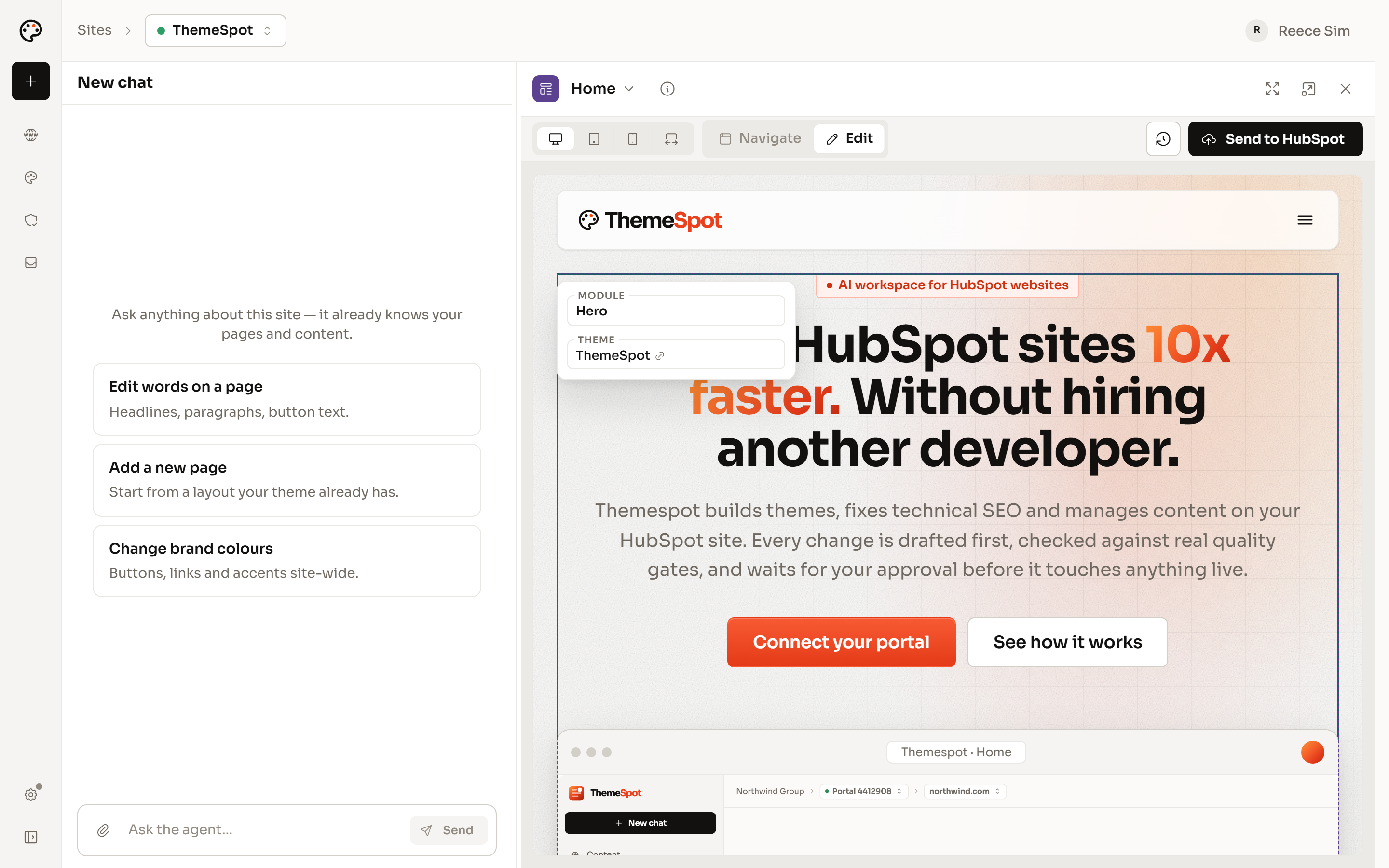
The Preview on the home page in Edit mode with the hero selected: a card names the module, Hero, and the theme it comes from, ThemeSpot.

Hosted git, sandboxes and previews.

Every theme lives in a hosted repository, so there is nothing to set up and nothing tied to one laptop. Each batch of edits is a checkpoint with a diff you can read and restore. Builds and renders run in a hosted sandbox. Every checkpoint has a hosted preview that draws real pages with their real content, on a link you can send to anyone. Pull the theme to your own disk when you want it, and push it back as one checkpoint.

  • A checkpoint and a diff for every batch
  • Restore any checkpoint from the History rail
  • Builds and renders in a hosted sandbox
  • Hosted previews of real pages, on a link
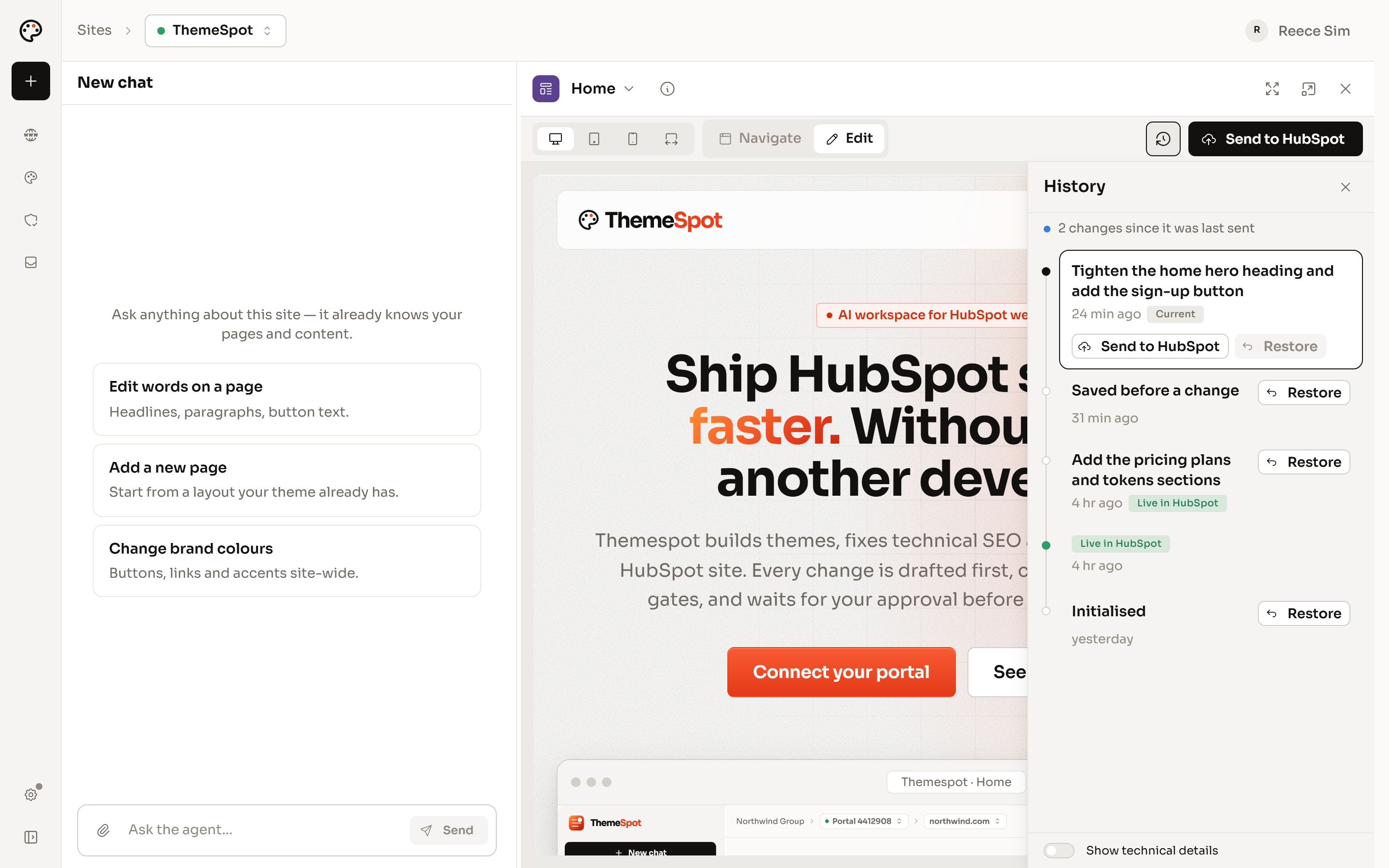
The theme Preview with its History panel open: two changes since the last send, the current checkpoint with Send to HubSpot, and earlier checkpoints with Restore, some marked Live in HubSpot.

A headless UI library, built and maintained for HubSpot.

A theme built on ThemeSpot UI is a new type of theme, with the benefits of a marketplace theme and none of the drawbacks. Accordion, tabs, dialog, popover, navigation with a mega panel and carousel arrive accessible and unstyled, so the markup and the look stay yours. The library handles the HubSpot quirks agents trip over, from the srcset rewrite and the form lifecycle to menus from all three of their sources, and we keep it current as HubSpot ships new features.

  • Your markup and your Tailwind, with no CSS from the library
  • Server-rendered, with islands that hydrate when visible
  • Reduced motion honoured in every moving part
  • One Styles spine and shared field composites across modules

Loops and lints on every change.

Your agent doesn't hand you a guess. After each batch it runs the check: HubSpot's own validation, the standards linter, a link audit and a field-shape check. A failure names the rule that raised it, so the agent fixes it and runs the check again. Then it renders the page, captures it and compares it with the design, and keeps going until the two match.

  • HubSpot validation and a standards lint on every batch
  • Failures named by the rule that raised them
  • Render, capture and compare against the design
  • An image over 512 KB stops the deploy
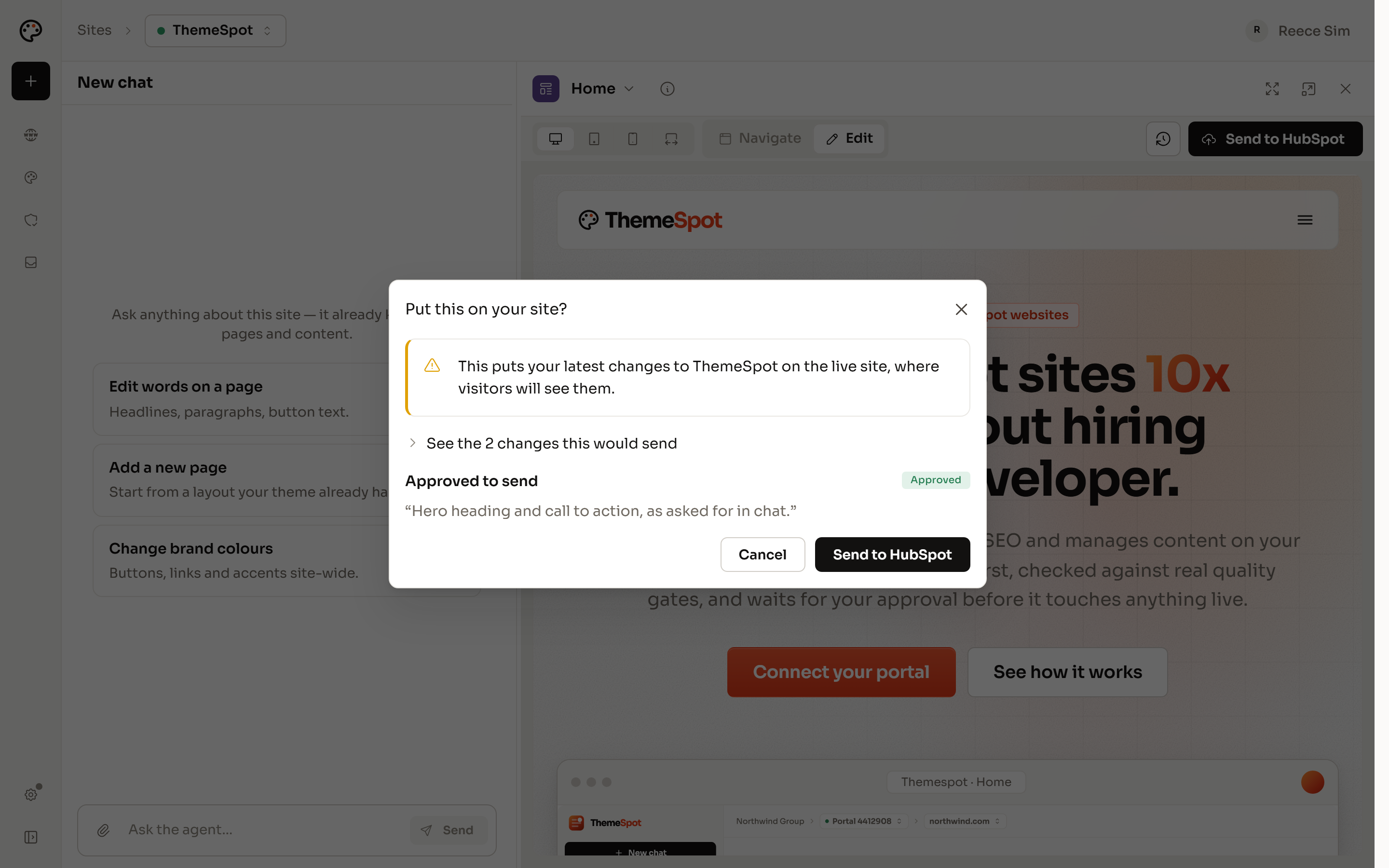
The Put this on your site? dialog over the theme Preview: a warning that the latest changes go to the live site, the two changes it would send, the approved note, and Cancel or Send to HubSpot.

QA that runs itself.

A deploy request runs the checker, HubSpot's project validation and a link audit before anyone is asked to approve it. Once the theme is live, a site scan runs more than 80 checks on every page. On plans that include it, an agent also drives a real browser through your money page. Each issue names the page, the rule and the fix, and when ThemeSpot runs a fix it is charged only if the rule that found the issue passes afterwards.

  • Deploy request: checker, validation, link audit, image weight
  • Site scan: SEO, links, spelling, security headers, page weight, AI crawler access
  • Browser walkthrough of the money page, recorded where the plan allows
  • Fixes verified by the rule that found them
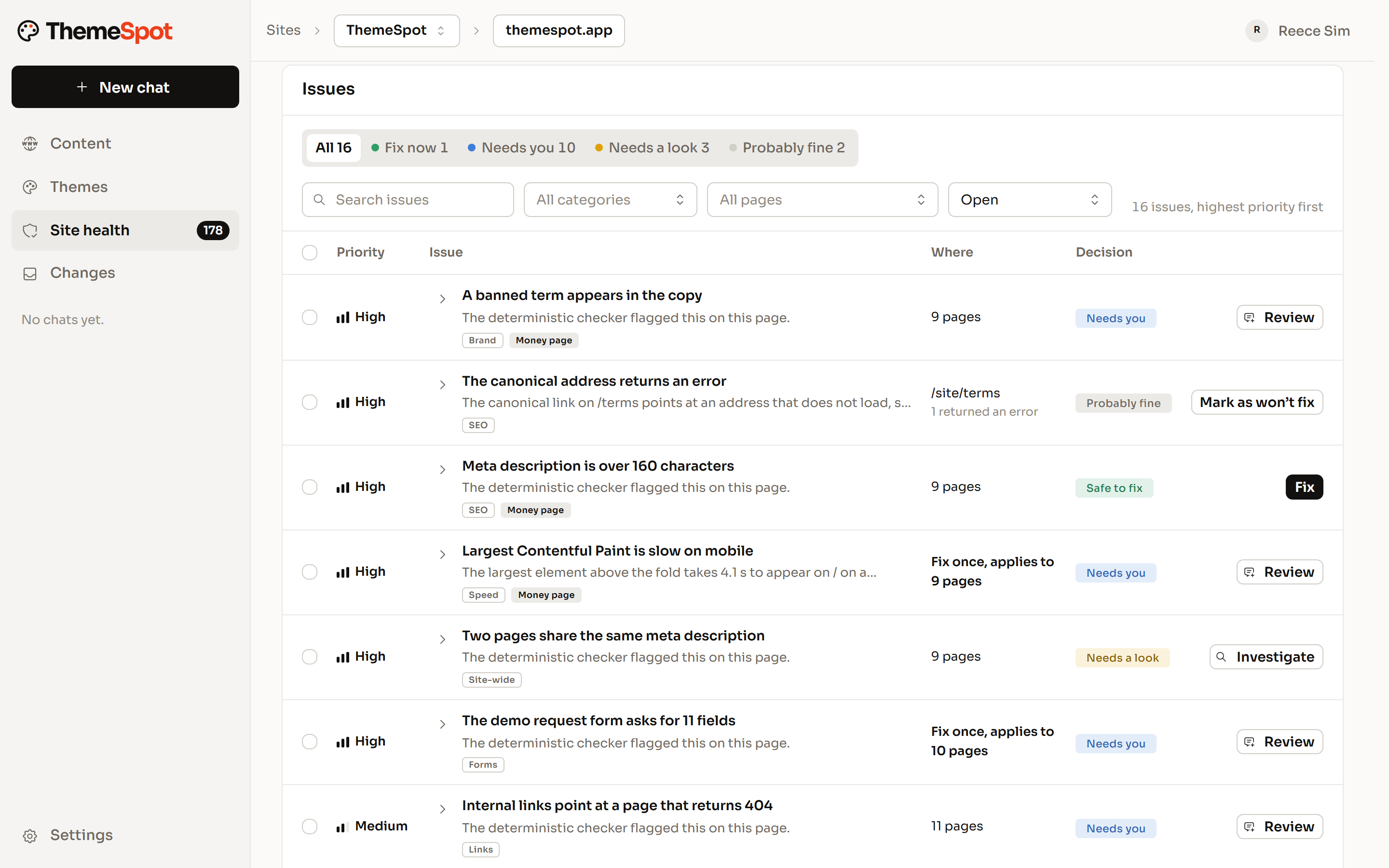
Site health in ThemeSpot: a list of 16 open issues, highest priority first, each with the pages it affects and a decision such as Safe to fix, Needs you or Needs a look, and a Fix, Review or Investigate button.

Stakeholder feedback, collected on the preview and fixed straight away.

Send stakeholders the hosted preview, not a screenshot. Their feedback is collected in ThemeSpot, against the page they are looking at, so nothing gets lost in email or a slide deck. Your agent picks each note up and makes the change, and the preview shows the fix. Clients get a guest seat on their own site with code access off, so copy changes and new pages stay out of your queue.

  • A hosted preview for every reviewer
  • Feedback kept with the page it is about
  • Fixes made as the notes arrive
  • Guest seats for clients, with code access off
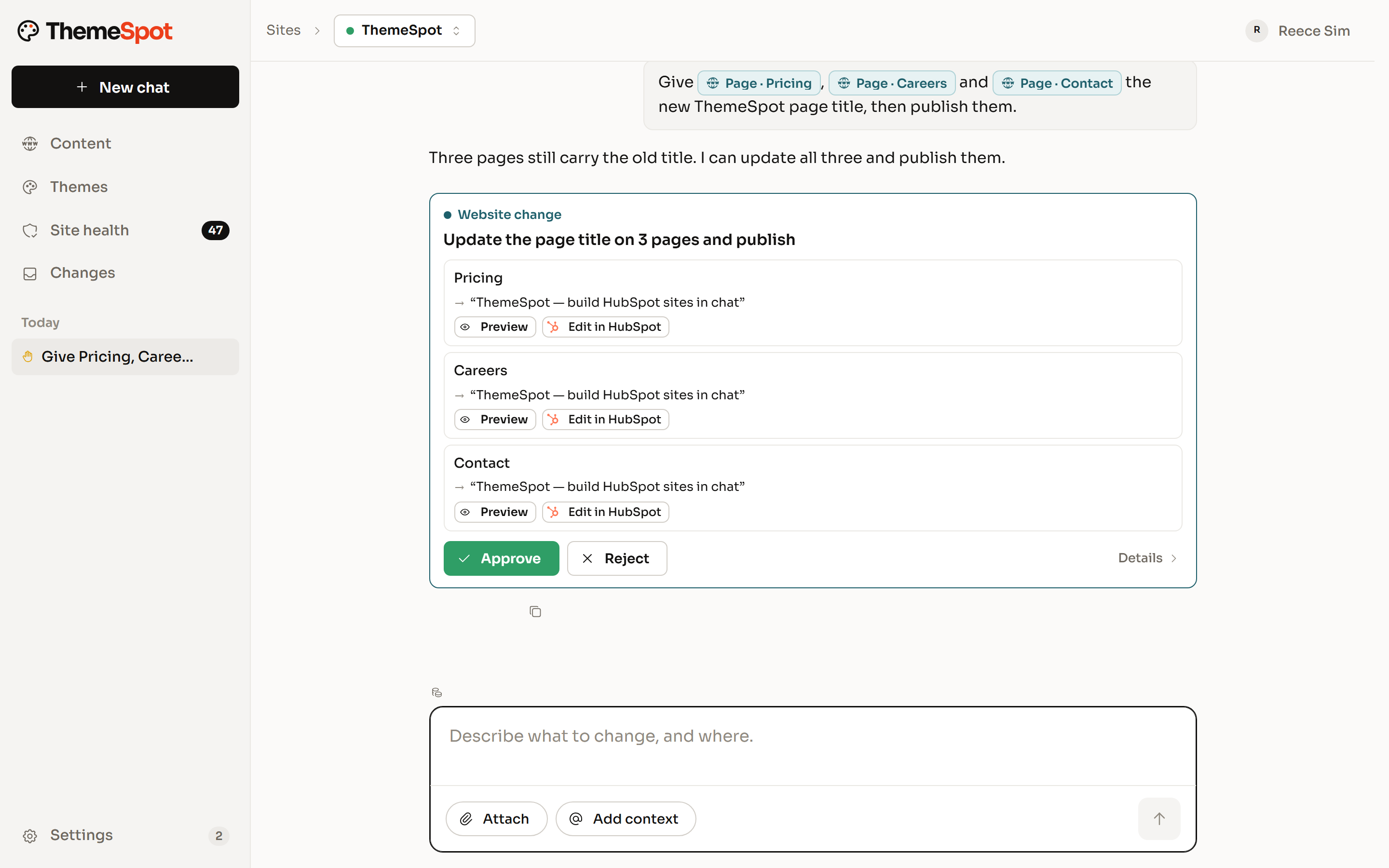
A chat asking for a new page title on Pricing, Careers and Contact, paused on a Website change card that lists each page and its new title, with Approve and Reject.

Built on ThemeSpot

Real builds, with the receipts.

Qolaba's site went from a Figma file to a live HubSpot theme through this workflow. The cost is measured, the PageSpeed report is public, and the theme breaks down into proper templates, sections and modules. Across the three sites on our proof page, mobile performance runs from 93 to 99 and the first build cost between about $500 and $600 in Claude Code usage.

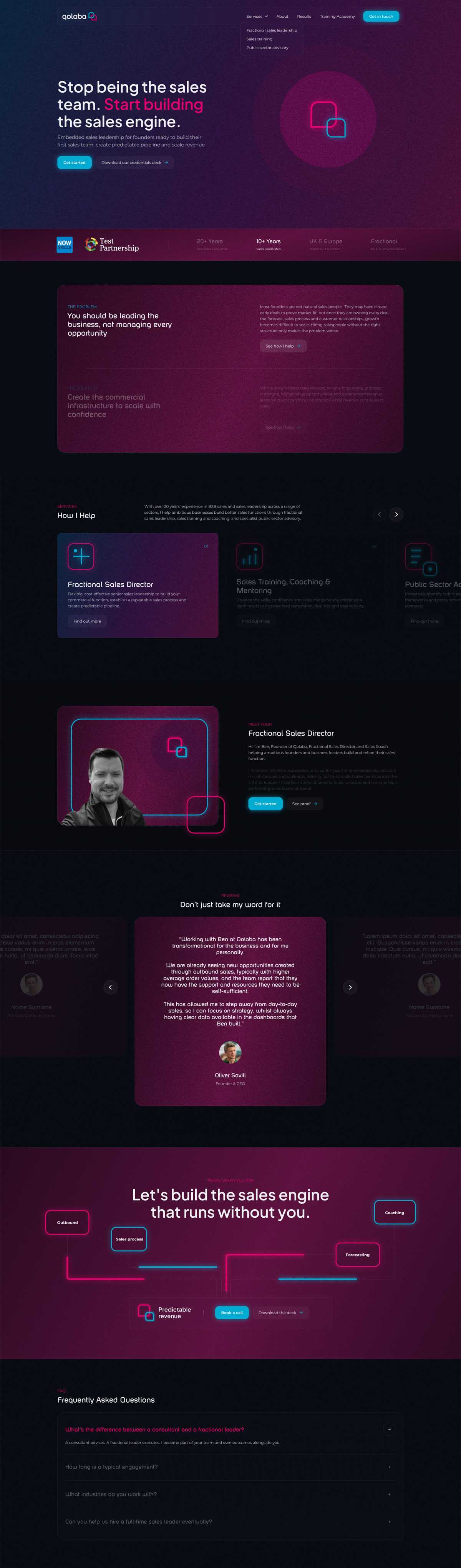
  • The Qolaba home page as designed in Figma: a dark purple hero with the headline Stop being the sales team. Start building the sales engine.Figma design
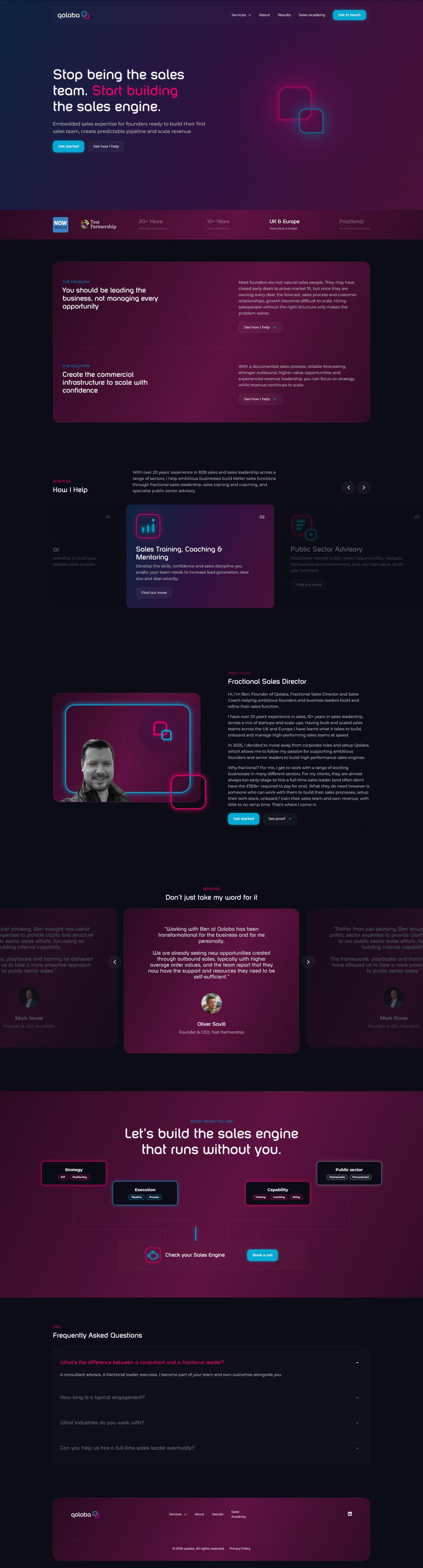
    The Qolaba home page live on HubSpot at qolaba.com: the same dark purple hero, headline and logo mark.Live on HubSpot

    The top of each home page. Drag to compare.

  • 94

    qolaba.com, mobile

    PageSpeed performance

    Largest Contentful Paint
    1.0 s (good)
    Cumulative Layout Shift
    0.002 (good)
    Total Blocking Time
    10 ms (good)
    First Contentful Paint
    1.0 s (good)
    Accessibility
    96 (good)
    Best practices
    100 (good)
    SEO
    100 (good)
    Performance on desktop
    97 (good)

    Google PageSpeed Insights, Lighthouse 13.6, 10 November 2026.

    See the report
  • Claude Code cost

    $522.43

    Figma file to live website

    What the Qolaba build cost in Claude Code usage at API prices, on Opus 5.

    Figma to HubSpot conversion (one prompt)
    $396.23
    Content population & design tweaks
    $126.20
    QA & HubSpot config
    2 hours
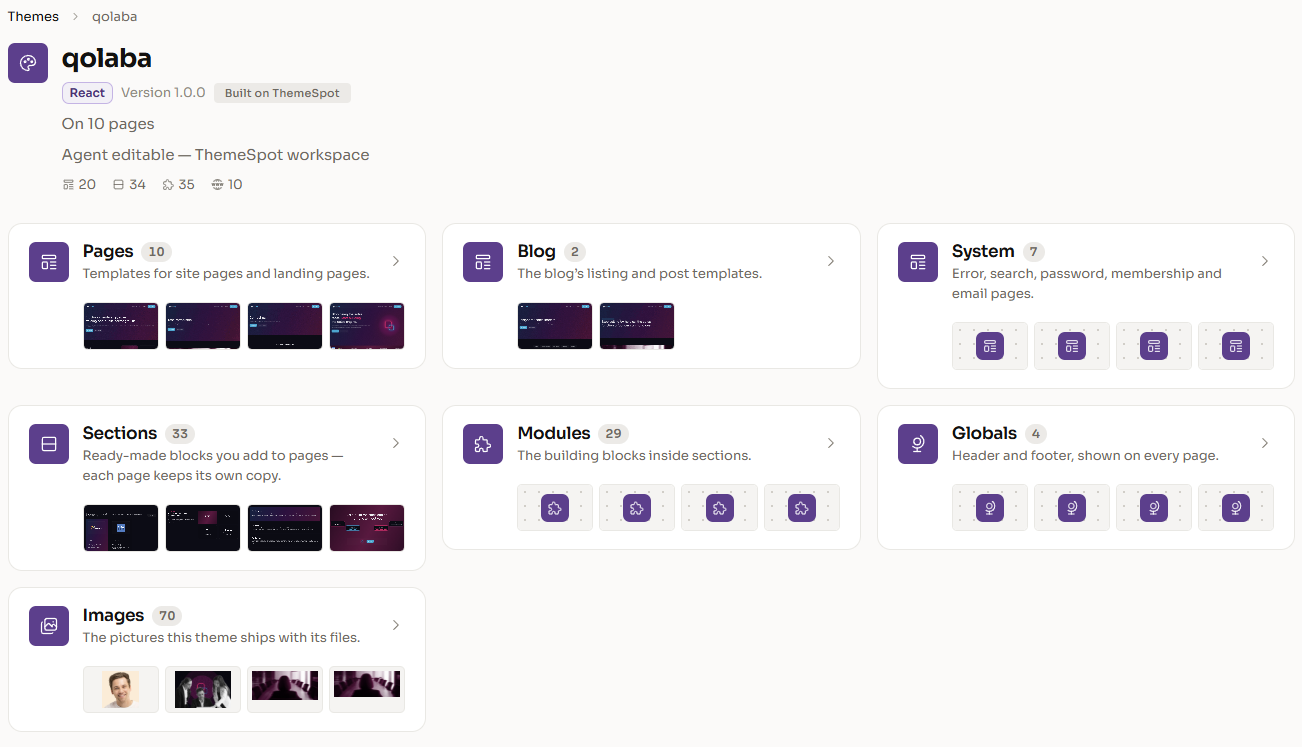
  • The Qolaba theme in ThemeSpot: cards for its 10 page templates, 2 blog templates, 7 system templates, 33 sections, 29 modules, 4 globals and 70 images.

    The theme in ThemeSpot

    The whole theme, in one place

    Everything the build produced, listed and editable in the ThemeSpot workspace.
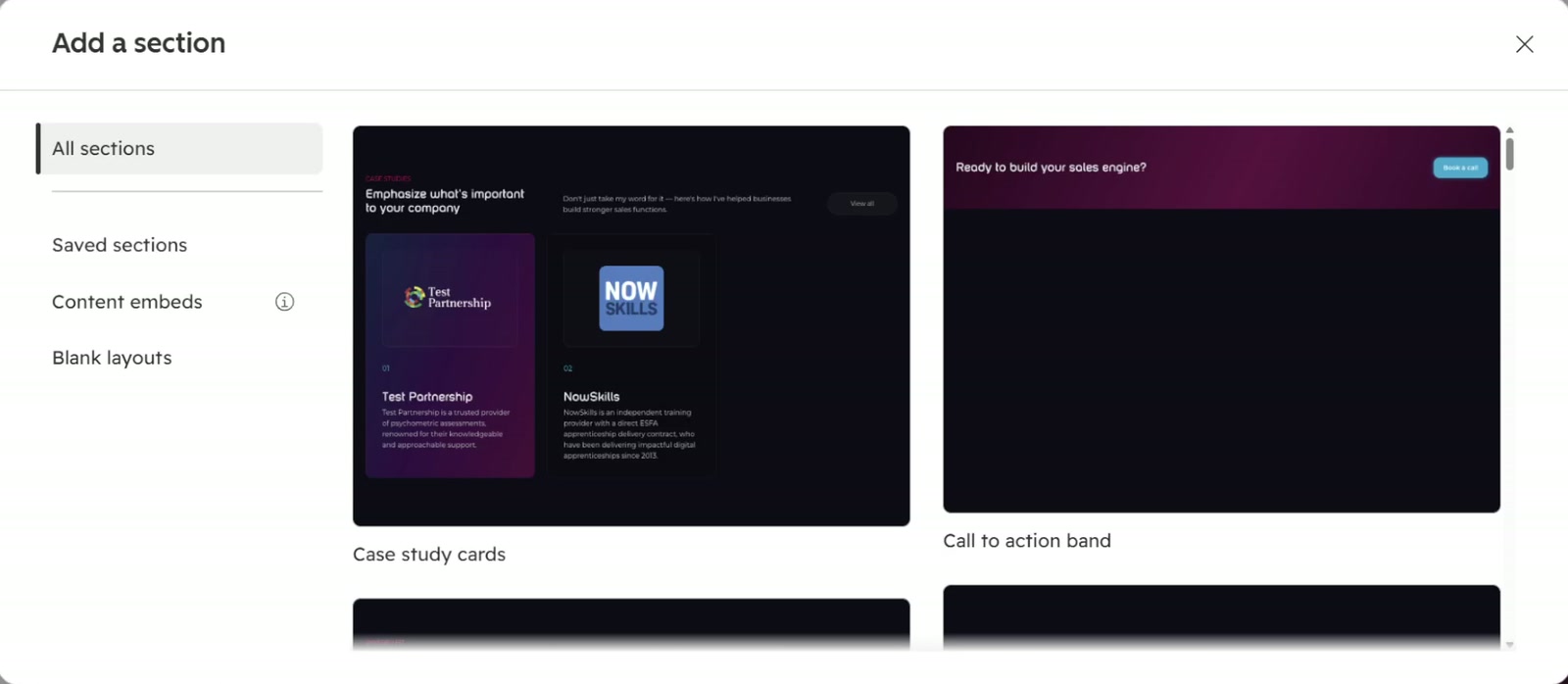
  • HubSpot's Add a section panel in the Qolaba account, showing theme sections such as Case study cards and Call to action band, each with a preview.

    The section library in HubSpot

    Every section of the theme, ready for editors in the Add a section panel.

Your agent moves fast. A person still approves the deploy.

Over MCP your own client's permission prompt is the gate for drafts and edits. A theme deploy always waits for a named person in ThemeSpot.

  1. Guardrails

    Drafts first. A person approves what goes live.

    Edits land as drafts in the HubSpot editor your team already uses. Publishing, redirects, forms, files and theme deploys wait for approval, each with a plain description of what will happen. A journal records who approved what.

  2. Team roles

    Roles for your team, a guest seat for each client.

    Your organisation owns its portals. Each person is an admin, manager, developer or viewer on each one, and the theme workspace is for developers. A client joins as a guest on their own portal and sees nothing else.

  3. Client sites

    Clients edit inside the theme you built.

    Clients chat with their own site with code access off. They can change pages, copy, images, redirects and forms, and theme changes stay with your developers.

  4. MCP

    Their own AI, on their own website.

    Connect ThemeSpot to Claude, ChatGPT or another MCP client. The AI a client already uses gets the same tools, approvals and roles, inside the limits you set.

You're thinking: “I can build this myself.”
Our answer:

You probably can. Most of the time goes on HubSpot's quirks and on the plumbing: the srcset rewrite, the form lifecycle, menus from three sources, editor-safe fields, then git, sandboxes, previews and QA. ThemeSpot already has them, and connecting your agent is free.

You're thinking: “Cursor and the HubSpot CLI already get me there.”
Our answer:

They write a module and upload it. ThemeSpot adds the parts they leave out: a render of the page with its real content before anything uploads, a check that names the HubSpot rule a change breaks, and a preview your stakeholders can open. Any MCP client, Cursor included, can use the same server.

You're thinking: “I don't trust AI-generated HubSpot code.”
Our answer:

Neither do we, until it has been checked. Nothing deploys until the checker and HubSpot's validation pass and a named person approves the request, and you can read the diff of every checkpoint first. The sites on Built on ThemeSpot show what comes out.

You're thinking: “What do I get if I leave?”
Our answer:

The built HubSpot theme, exported and ready to upload. The site keeps running in the portal as it is.

Connect your agent. Keep your stack.

Free to connect, your own AI included. The theme workspace is on paid plans.