
Skip to content

Build a theme your client can edit, as good as your best developer would build it.

ThemeSpot turns a brief, a design or a file references into a HubSpot theme that passes the quality bar a senior developer would set.

From a design to a real theme

Give ThemeSpot a design reference in any format, it turns the design into templates, sections, and modules. Fully compatible with HubSpot's drag and drop editor.

  • A home page in a Figma frame: a header with the brand name and menu, a headline, two lines of text and a button, a row of three cards, and a footer.

    The design, in Figma

    Your design, in your preferred format. Or let the agent handle the design.

  • The same home page in HubSpot under a single dark outline marked as one block: the whole page is one piece, with no parts to edit.

    A design dropped straight into HubSpot

    • Can't be edited in HubSpot
    • Updates gated by one person
    • Often slow and not accessible
  • The same home page built with ThemeSpot UI, each part outlined and labelled: the header and footer are global content, the first section holds a module whose headline is an editable field with its button, and a second section holds three modules.

    The same design, built with ThemeSpot UI

    • Maintain full drag and drop capability
    • Let's agents edit within the same guardrails as users
    • Fast, SEO-friendly, Accessible.

How it works

Traditionally, agencies used marketplace templates, and customised them to meet client needs.

ThemeSpot doesn't give you pre-made templates, it creates a bespoke theme from scratch using our HubSpot-specific framework.

  • An unstyled, accessible UI library

    Your agent builds the theme, we handle functionality, accessibility, and HubSpot integration.

  • We maintain and upgrade

    New HubSpot features are added and bugs fixed for as long as the site is connected.

  • Dev tools on steroids

    ThemeSpot bundles dev tools more useful than HubSpot's own. (Your agent's going to love these)

How a build runs

  1. Ask

    Give your agent the design and the brief.

  2. Build

    It writes the theme a batch at a time. Each batch is checked for HubSpot validity, accessibility and house standards.

  3. Look

    Every template and module is available as a shareable preview, before anything reaches HubSpot.

  4. Deploy

    Someone with the right role approves the deploy in ThemeSpot.

And then what...?

After you've deployed a theme, you'll want to...

Real sites built with ThemeSpot

Case study: Qolaba

Qolaba's website started in Figma as a static design. The whole process went like this:

  1. We used the ThemeSpot MCP with claude code to convert the approved designs into a full-fledged HubSpot theme.

  2. We then gave Claude the final copy, and let it build & populate the pages on HubSpot

  3. We ran a full-site QA scan using ThemeSpot, and had a human test the site end-to-end.
  4. The final feedback was fed into Claude, and implemented immediately.


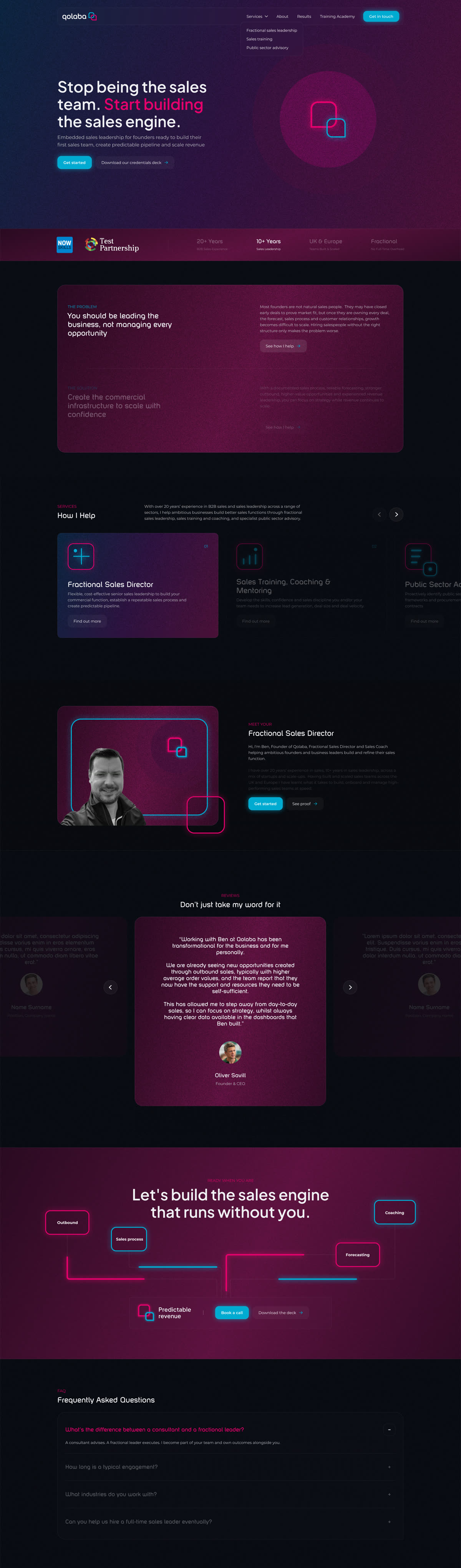
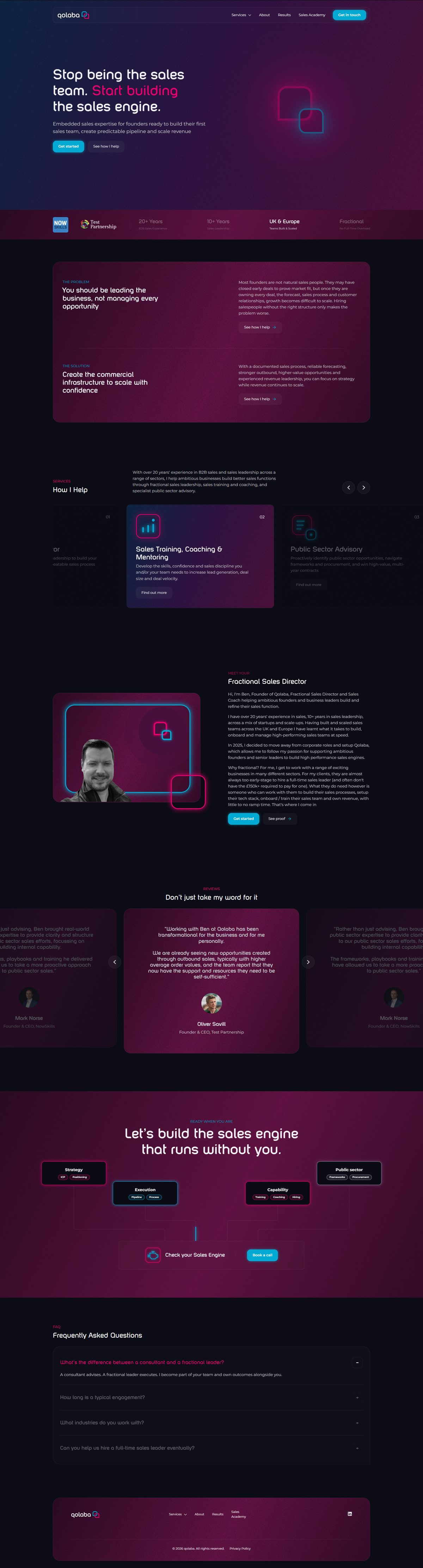
  • The Qolaba home page as designed in Figma: a dark purple hero with the headline Stop being the sales team. Start building the sales engine.Figma design
    The Qolaba home page live on HubSpot at qolaba.com: the same dark purple hero, headline and logo mark.Live on HubSpot

    The top of each home page. Drag to compare.

  • qolaba.com, mobile

    94

    PageSpeed performance

    Largest Contentful Paint
    1.0 s (good)
    Cumulative Layout Shift
    0.002 (good)
    Total Blocking Time
    10 ms (good)
    First Contentful Paint
    1.0 s (good)
    Accessibility
    96 (good)
    Best practices
    100 (good)
    SEO
    100 (good)
    Performance on desktop
    97 (good)

    Google PageSpeed Insights, Lighthouse 13.6, 10 November 2026.

    See the report
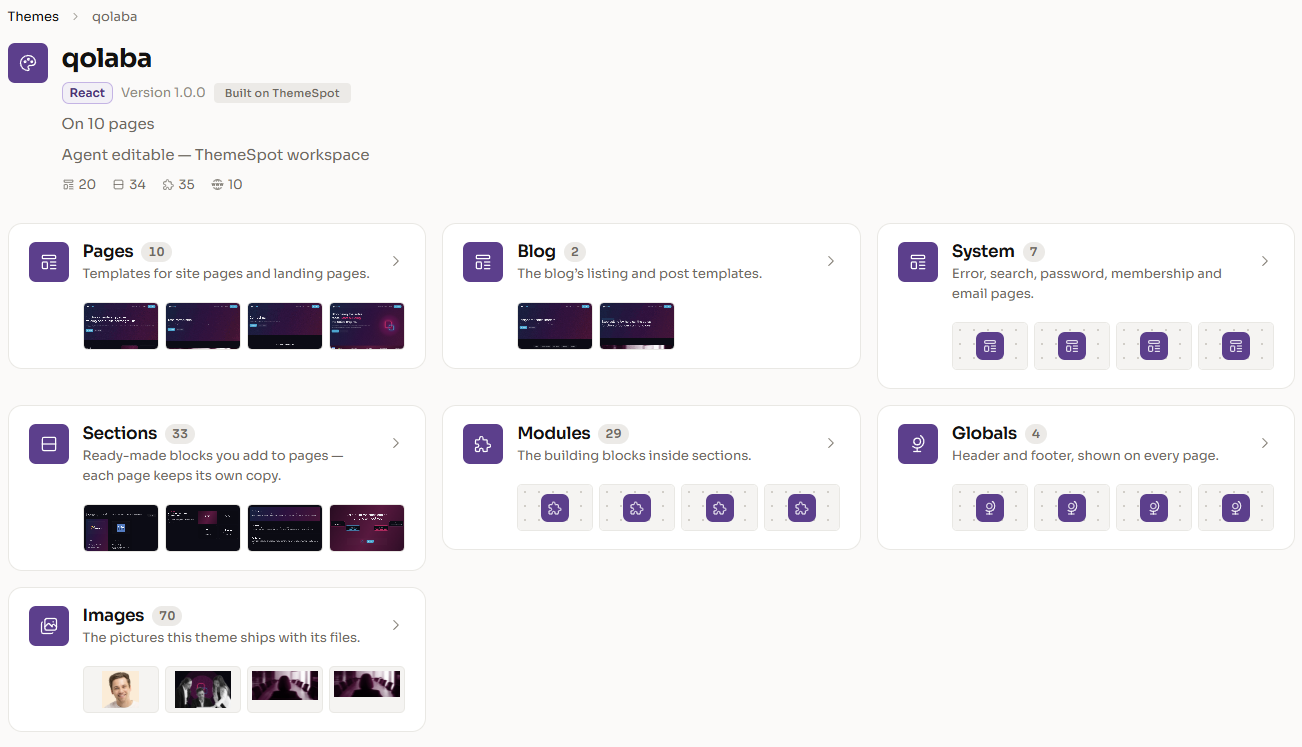
  • The Qolaba theme in ThemeSpot: cards for its 10 page templates, 2 blog templates, 7 system templates, 33 sections, 29 modules, 4 globals and 70 images.

    The theme in ThemeSpot

    The whole theme, in one place

    Everything the build produced, listed and editable in the ThemeSpot workspace.
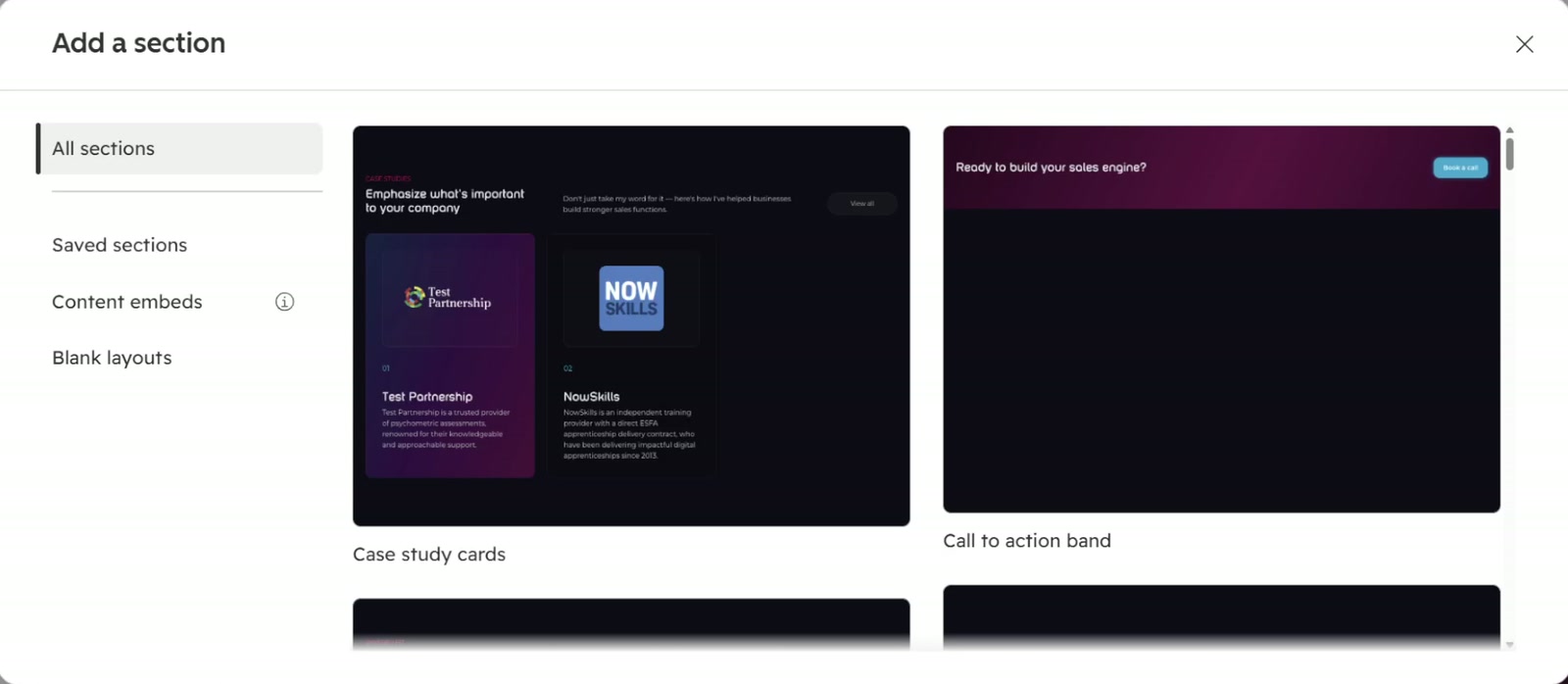
  • HubSpot's Add a section panel in the Qolaba account, showing theme sections such as Case study cards and Call to action band, each with a preview.

    The section library in HubSpot

    Every section of the theme, ready for editors in the Add a section panel.

Connect your agent. Nothing changes until you say so.