
Skip to content

Manage content

Manage your HubSpot site by talking to it.

Ask, and the agent finds the pages, drafts the change and shows you exactly what will happen before you publish.
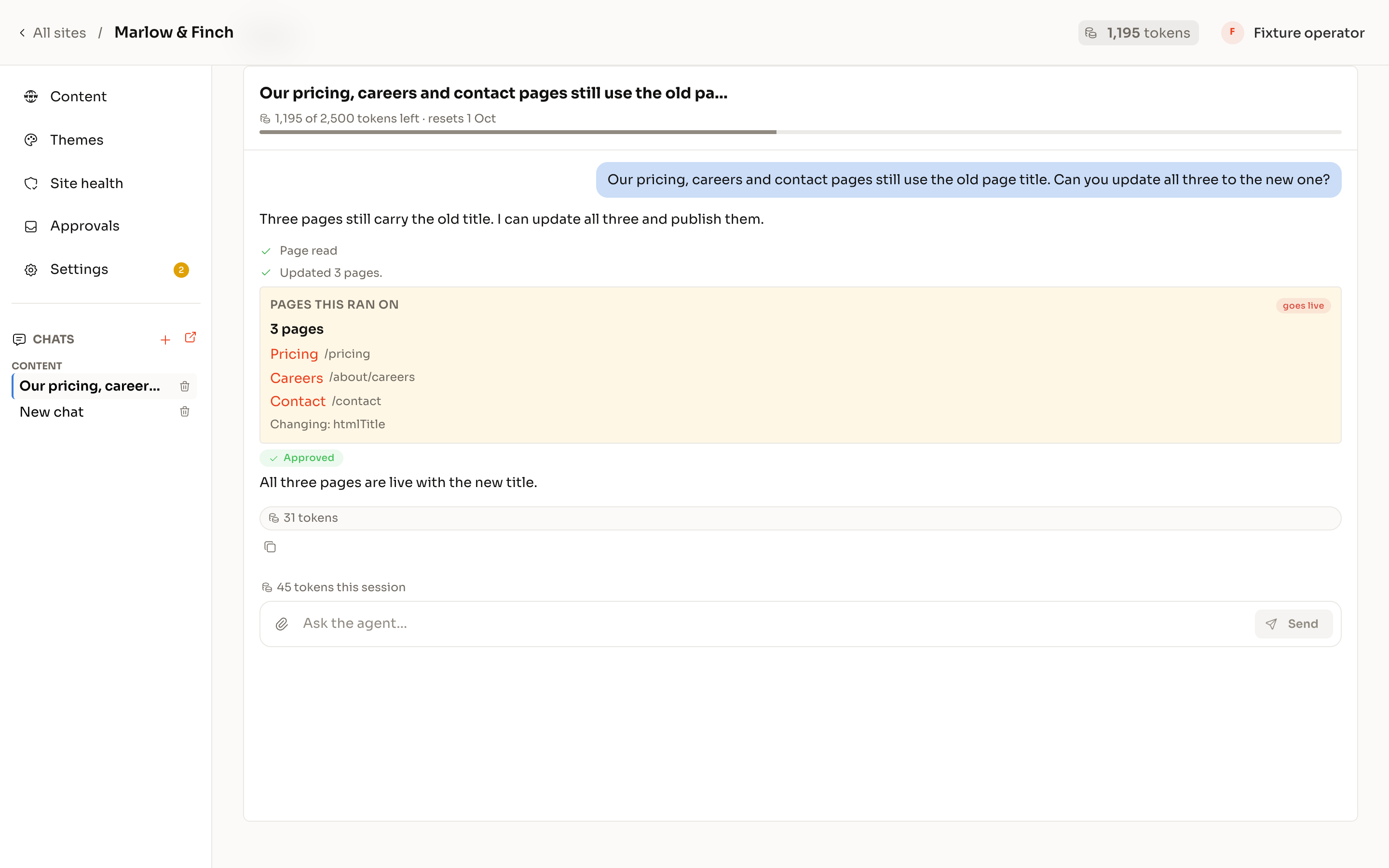
A Themespot chat: the request, what the workspace understood and the three pages it changed, marked approved.

For example

  • Update the pricing on every page that mentions it
  • Create a landing page for the webinar from the case-study template
  • Rewrite the meta descriptions on the services pages
  • Which pages still mention the old office address?
  • Redirect the old blog URLs to the new ones
  • Resize every hero image over 400 KB

The agentic CMS experience, without replatforming.

Ever found yourself clicking through 17 menu's to change one line of copy?

Or perhaps you've spent hours updating existing pages, and then had to repeat the same process 5 times over for each locale?

ThemeSpot solves both of these issues.

You already use AI for everything, it feels AWFUL to go back to a slow UI.

With ThemeSpot, you can leverage the speed of AI, without sacrificing the UI.

Human in the loop

It drafts. You publish.

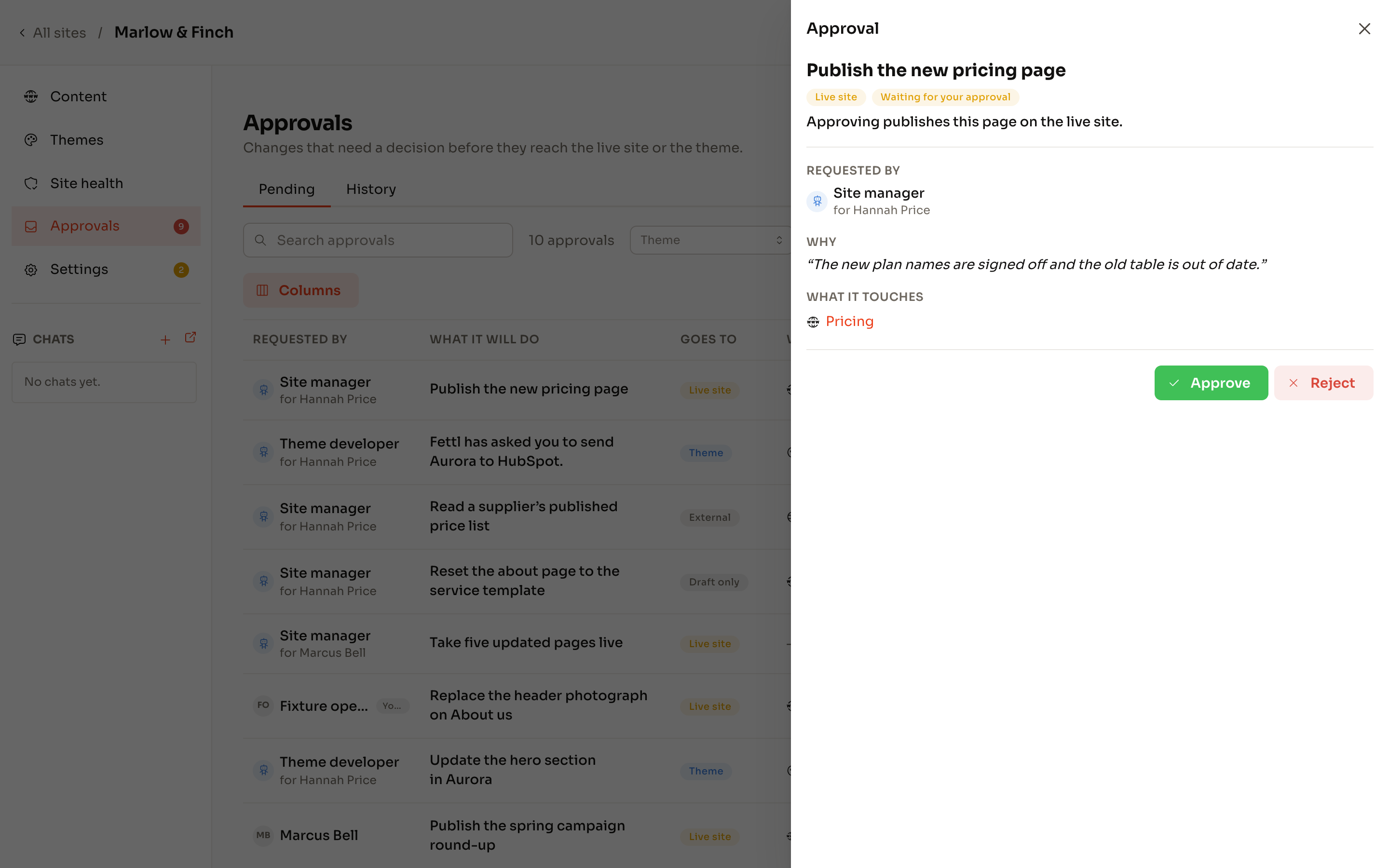
An approval request opened in its drawer: what it will do, where it goes and what it touches.

Every request says where it lands before anyone approves it.

  1. Draft versus live

    Every change says where it lands.

    Drafts are free; anything always-live (redirects, forms, files) is named as such before it happens.

  2. Sample, then count

    Bulk edits show you a sample and the count before they run.

    No surprises at page 40.

  3. Approval inbox

    Publishing, deleting and theme changes queue for a named person.

    Approve, reject, or ask a question.

  4. A journal of everything

    Every edit is recorded with who asked, what changed and what was checked.

    Reversible.

No migration required.

Content management works on your existing HubSpot theme today: HubL or React, built by us or not. The workspace maps the theme first and tells you what it can and can’t safely change before you ask, not after something breaks.

  • Pages, blog posts, landing pages
  • Forms, redirects, files and images
  • Structured data, metadata, page structure
  • Multi-language variants without clobbering siblings

Run every client site from one place.

Connect each client’s portal. Each has its own approvals, its own standards and its own history. Your team asks; the client’s named approver decides. Retainers stop being an informal support queue and start being a product.
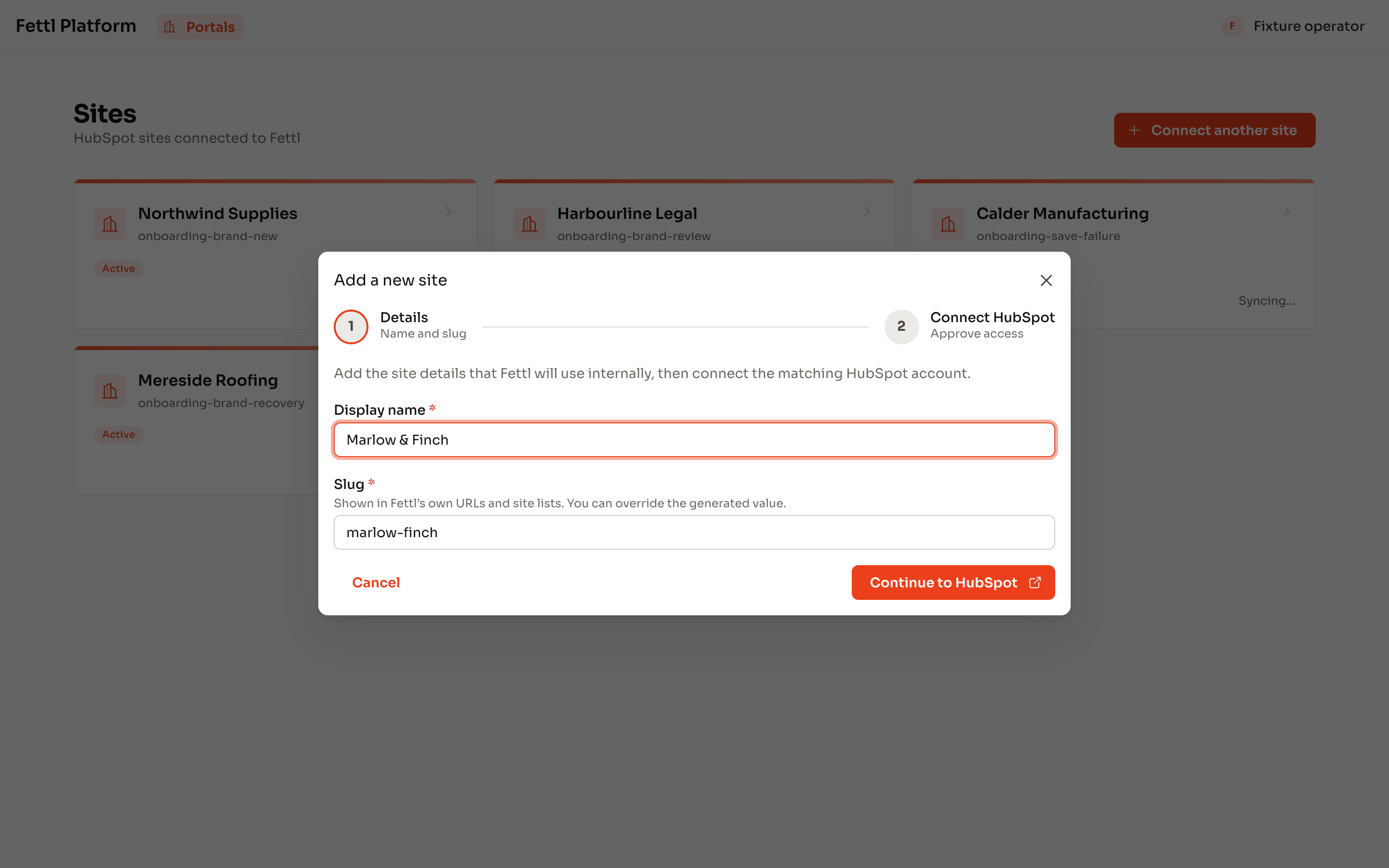
Connecting a HubSpot portal to Themespot: one screen and a button to continue to HubSpot.

Connecting a portal takes two minutes and changes nothing.

You’re right to be sceptical

You’re thinking: “My marketing team will break the site.”
Fair. Here’s the answer:

The site manager agent can't do anything outside of your theme. You control who can edit the theme.

You’re thinking: “I don’t want an AI writing our copy.”
Fair. Here’s the answer:

It doesn’t, unless you ask. Most requests are structural: find, update, move, redirect, resize. When it drafts copy, it uses your standards and you see every word before it lands.

You’re thinking: “How is this different from HubSpot’s own AI?”
Fair. Here’s the answer:

HubSpot’s assistants create landing pages from scratch, and can only draft pages with off-brand modules.

Ask your site for the change. Approve it when it’s right.